Digital Kiosks – Maika Enterprises, Delhi: Complete Guide to Interactive Kiosk Solutions
According to the research team of ClipsTrust, the digital kiosk market in India is experiencing unprecedented growth, with the interactive kiosk sector projected to reach USD 1,728.2 million by 2030, growing at a compound annual growth rate (CAGR) of 11.1% from 2025 onwards. In this transformative landscape, Maika Enterprises has emerged as a trusted leader in designing, manufacturing, and supplying high-quality digital kiosk solutions across India.
Located at J-157, DSIIDC Industrial Area, Sector 5, Bawana, Delhi, India – 110039, Maika Enterprises specializes in providing comprehensive, custom-designed digital kiosk systems tailored to diverse industrial, commercial, and public sector applications. Whether you require touchscreen-enabled interactive kiosks, durable floor-standing digital standees, wall-mounted display solutions, or industrial-grade terminals, Maika Enterprises delivers premium-quality products backed by years of manufacturing expertise.
What Are Digital Kiosks? Understanding Interactive Display Solutions
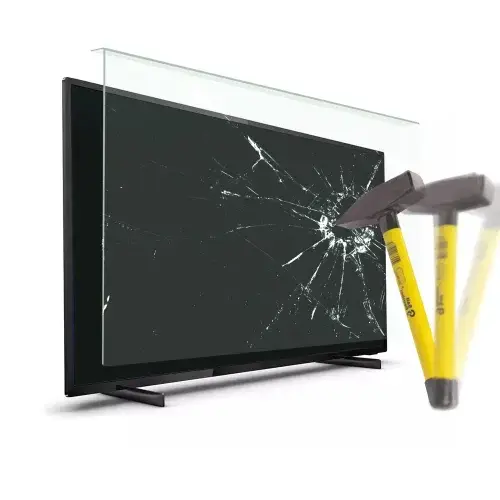
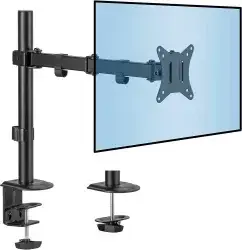
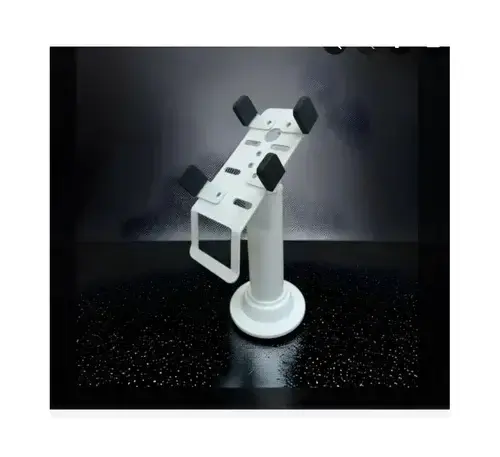
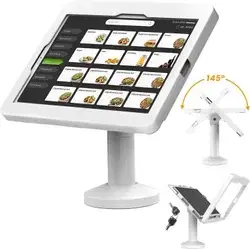
Digital kiosks represent a revolutionary shift in how businesses engage with customers and manage operations. These sophisticated, self-service machines combine high-resolution touchscreen displays, interactive software, and durable hardware enclosures to deliver information, facilitate transactions, and enhance customer experiences across multiple sectors. Companies like Maika Enterprises further strengthen this ecosystem by offering essential kiosk accessories such as monitor mounts, LCD protectors, and tablet kiosk stands—each designed to improve usability, safety, and durability for modern digital kiosk setups.
Unlike traditional static signage, digital kiosks are interactive digital standees that empower users to navigate menus, access information, complete purchases, and gather real-time data—all through intuitive touchscreen interfaces. Whether deployed in retail environments, corporate offices, healthcare facilities, transportation hubs, or public spaces, these machines have become indispensable tools for modern business operations.
Maika Enterprises recognizes the diverse needs of different industries and has developed an extensive portfolio of digital signage kiosk solutions. Each product is engineered to deliver exceptional display performance, superior touchscreen sensitivity, and long-term durability even in high-traffic, demanding environments. Explore more of their offerings under their wide range of computer peripherals designed to complement and enhance digital kiosk systems.
The Market Opportunity: Why Digital Kiosks Matter in 2025
The global digital kiosk market is experiencing explosive growth. According to industry research, the market size is projected to expand from USD 33.20 billion in 2025 to USD 55.40 billion by 2034, representing a steady 6% compound annual growth rate. In India specifically, the opportunity is even more compelling, with rising demand across sectors such as electronics and electrical equipment as well as food and beverage processing—both of which increasingly rely on advanced digital kiosk solutions to improve customer engagement and operational efficiency.
India’s interactive kiosk market generated USD 914.8 million in 2024 and is expected to more than double to USD 1,728.2 million by 2030. This 11.1% CAGR reflects strong demand across retail, banking, healthcare, hospitality, and government sectors. The primary drivers include:
• Rising labor costs and labor shortages pushing businesses toward automation
• Growing consumer comfort with self-service technology (72% of surveyed consumers in 2025 reported comfort using in-store kiosks)
• Government initiatives like Digital India and Smart Cities promoting technology adoption
• Retail sector leading adoption for self-checkout systems, product information displays, and customer engagement
• Banking and financial services implementing self-service terminals for account management
• Healthcare facilities deploying kiosks for patient check-in, wayfinding, and appointment scheduling
Key Features of Maika Enterprises Digital Kiosk Systems
Feature 1: Advanced Touchscreen & Interactive Digital Kiosk Designs
Modern digital kiosks demand responsive, accurate touchscreen technology that can handle thousands of daily interactions in public environments. Maika Enterprises utilizes cutting-edge touchscreen kiosk technology featuring:
Capacitive & Resistive Touchscreen Options: Capacitive touchscreens offer superior response times (sub-10 millisecond recognition) and multitouch capabilities ideal for retail and information displays. Resistive touchscreens provide enhanced durability, waterproofing, and compatibility with gloved operation—essential for industrial and healthcare environments.
Exceptional Brightness Levels: Outdoor-rated displays feature minimum 1000 nits brightness, ensuring crystal-clear visibility even in direct sunlight. Indoor models provide optimal brightness-to-power-consumption ratios, maintaining readability while reducing operational costs.
High-Resolution Displays: All Maika Enterprises kiosk systems support 1080p or higher resolutions, delivering crisp images, sharp text, and detailed product visuals that enhance user engagement and reduce interaction errors.
Rapid Response Times: Industry-standard response times of less than 10 milliseconds ensure smooth operation across payment processing, menu navigation, product browsing, and transaction completion—critical factors for maintaining customer satisfaction in high-traffic locations.
Anti-Glare & Anti-Reflection Coatings: Optical bonding and specialized glass treatments ensure exceptional visibility while protecting against screen wear, scratches, and vandalism.
Feature 2: Heavy-Duty Metal & Glass Body for Long-Term Durability
Durability is the cornerstone of Maika Enterprises’ design philosophy. All industrial digital kiosk systems are constructed using premium materials engineered to withstand continuous operation:
Robust Metal Enclosures: Aluminum or cured steel frames provide superior corrosion resistance, impact durability, and structural integrity. These materials meet industrial standards including IK10 impact resistance (capable of withstanding 20 joules of impact energy) and IP65-IP68 ingress protection ratings.
Temperature Resilience: Maika’s kiosk systems operate reliably across extreme temperature ranges from -40°F to 140°F (-40°C to 60°C), featuring passive fanless cooling systems that reduce mechanical failure risks and extend component lifespan.
Weather-Resistant Design: Sealed enclosures with nano-coatings protect against condensation, humidity, salt damage, and corrosion. Active dehumidifiers and intelligent water management systems direct moisture away from sensitive components.
Tempered Glass & Protective Finishes: Scratch-resistant tempered glass, UV-resistant coatings, and anti-graffiti treatments ensure your investment maintains aesthetic appeal and functionality for years.
Modular Component Design: Tool-less assembly and easily accessible components simplify maintenance, reduce downtime, and lower total cost of ownership.
Feature 3: Multi-Application Kiosks for Diverse Commercial & Industrial Environments
Maika Enterprises manufactures self-service kiosk systems designed for deployment across virtually any business environment:
Retail & E-commerce: Self-checkout terminals, product information displays, loyalty program management, and endless aisle browsing—increasing average transaction values by 20-30%.
Corporate & Office Environments: Digital bulletin boards, employee recognition systems, meeting room scheduling, and building directory wayfinding solutions.
Healthcare & Medical Facilities: Patient check-in kiosks, appointment scheduling systems, health information access, payment processing, and visitor management solutions.
Hospitality & Food Service: Self-ordering kiosks for restaurants and QSR chains, hotel check-in/check-out terminals, menu display systems, and customer feedback collection.
Transportation & Logistics: Airport wayfinding and flight information displays, railway station ticket and information kiosks, bus terminal scheduling systems, and parking management terminals.
Banking & Financial Services: Account management terminals, payment processing stations, loan application kiosks, and cash recycler systems.
Government & Public Services: DMV and licensing kiosks, permit application systems, public information displays, and citizen service portals.
Industrial & Manufacturing: Quality control stations, production scheduling displays, employee time tracking, and automated inventory management interfaces.
Understanding Digital Kiosk Categories: Comprehensive Product Solutions by Maika Enterprises
1. Digital Signage Kiosks – Static Display with Optional Interactivity
Digital signage kiosks serve as powerful communication tools for displaying promotional content, announcements, and real-time information updates. These solutions combine stunning visual quality with the flexibility to update content instantly across multiple locations. Their adoption continues to rise across sectors such as industrial material and pharmaceuticals and chemical, where efficient information delivery and streamlined communication are essential for daily operations.
Applications: Retail promotions, event announcements, menu displays, corporate communications, transportation information, healthcare facility updates
Benefits: Cost-effective content delivery, real-time updates without printing costs, high-impact visual engagement, integrated analytics tracking viewer interaction
Typical Specifications: 32” to 75” displays, 1080p to 4K resolution, integrated media players, cloud-based content management systems, wireless connectivity
2. Touchscreen Information Kiosks – Interactive Content Delivery
Information kiosks empower users to independently access detailed information through intuitive touchscreen navigation. These systems significantly reduce dependence on staff support while improving customer experience.
Applications: Hospital wayfinding, building directories, product catalogs, service information displays, educational content delivery, tourist attraction guides
Benefits: 24/7 availability, multilingual support capabilities, accessibility features for users with disabilities, reduced staff assistance requirements, valuable analytics on user behavior and preferences
Typical Specifications: 21” to 55” capacitive touchscreens, high-resolution displays, integrated printing (optional), biometric capabilities, voice-guided navigation options
3. Self-Service Kiosk Systems – Transaction & Service Delivery
Self-service kiosks automate routine transactions while maintaining accuracy and reducing operational costs. These powerful machines can process orders, payments, and data collection with minimal human intervention. Their growing adoption spans diverse sectors—from fiberglass products manufacturing to the automobile and automotive industry—where efficient, streamlined processes are essential for improving customer service and operational workflow.
Applications: Retail self-checkout, quick-service restaurant ordering, banking transactions, healthcare appointment scheduling, ticket sales, payment processing
Benefits: Reduced wait times (customers cite speed as a primary reason, with 49.4% specifically mentioning speed and 34.7% citing shorter lines), improved order accuracy through customer-input verification, increased transaction volume without proportional staff increases, higher average transaction values (self-service customers tend to browse and purchase 20-30% more), valuable transaction data for business analytics
Typical Specifications: 22” to 55” touchscreens, payment gateway integration, receipt/ticket printing, barcode scanning, inventory management connectivity, POS system integration
4. Floor-Standing Digital Kiosks – High-Visibility Public Displays
Floor-standing digital standees maximize visibility and engagement in high-traffic areas while occupying minimal floor space. These architecturally-designed units combine form with function.
Applications: Mall and shopping center promotions, retail storefronts, hotel lobbies, office reception areas, event venues, transportation hubs
Benefits: Prominent placement in high-traffic areas captures 400% more views than static signage, customizable design matches brand aesthetics, space-efficient footprint, easy repositioning for seasonal campaigns or special promotions
Typical Specifications: 32” to 55” displays, sleek metal/glass construction, branded design options, tilted or adjustable viewing angles for ergonomic comfort, integrated cable management
5. Interactive Digital Standees – Engagement-Focused Solutions
Interactive standees add a human touchpoint to digital communication, allowing customers and visitors to engage with content, participate in surveys, and provide feedback. Their usage is expanding across varied sectors, from spiritual products and molded plastic products to the textiles and apparel industry, where enhanced customer engagement and interactive brand experiences are becoming increasingly vital.
Applications: Event engagement, customer feedback collection, interactive product demonstrations, augmented reality experiences, gaming and entertainment, employee training
Benefits: Increased audience engagement and participation, real-time data collection for market research, memorable brand experiences, viral potential through social media sharing
Typical Specifications: 32” to 43” touchscreens, motion sensors, camera integration, gaming software options, real-time analytics dashboards
6. Wall-Mounted Digital Kiosk Displays – Space-Efficient Solutions
Wall-mounted digital kiosks are ideal for locations where floor space is limited or where vertical orientation maximizes visibility.
Applications: Pharmacy prescription pickups, bank lobby information displays, corporate announcement boards, elevator lobbies, building directories, waiting room entertainment
Benefits: Minimal floor space requirements, strategic mounting height optimizes viewing, integration with existing wall infrastructure, reduced installation complexity
Typical Specifications: 21” to 55” displays, VESA-compatible mounting, flush-mount design options, optional protective glass enclosures
7. Retail Digital Display Kiosks – Commerce-Optimized Solutions
Retail kiosks are engineered specifically for the demanding retail environment, combining consumer appeal with commercial reliability.
Applications: Self-checkout stations, product information and discovery, loyalty program management, interactive fashion/furniture visualization, endless aisle inventory browsing, promotional campaign displays
Benefits: Increased basket size and average transaction value, reduced checkout friction, inventory visibility across channels, customer data for personalization, reduced labor requirements during peak hours
Typical Specifications: 22” to 32” touchscreens (optimal for checkout convenience), payment processor integration (EMV/chip reader, contactless payment, mobile wallet), quick transaction UI design, robust security features
8. Industrial-Grade Kiosk Terminals – Heavy-Duty Reliability
Industrial kiosks are purpose-built for manufacturing, logistics, and warehouse environments where extreme conditions demand exceptional durability.
Applications: Production line quality control, inventory management, employee time tracking, asset management, equipment maintenance logging, data collection in harsh environments
Benefits: Extended operational lifespan in demanding conditions, IP67-68 waterproofing handles moisture and washdown environments, EMI/RFI shielding protects against interference from industrial equipment, vibration compensation prevents false inputs, gloved operation support
Typical Specifications: Reinforced industrial-grade components, wide operating temperature range, sealed connectors, stainless steel hardware options, emergency stop button integration
9. Custom-Size Kiosk Systems – Tailored Solutions
Maika Enterprises excels at manufacturing custom digital kiosk solutions designed to your exact specifications. Whether you require unique dimensions, specialized component configurations, or integrated hardware, our engineering team develops purpose-built systems. These solutions are trusted across multiple sectors, from businesses listed in the ClipsTrust store to industries dealing in building material and machinery, where tailored kiosk designs play a crucial role in enhancing operational efficiency and customer interaction.
Services Include: - Industrial design consultation for optimal user experience - Custom mechanical engineering and CAD modeling - Material selection optimization for durability and aesthetics - Component integration (payment processors, scanners, printers, biometric readers) - Software customization and API integration - Prototype development and testing - Production scaling from small batches to large deployments
10. Public Information Kiosks – Community Service Solutions
Information kiosks serve critical wayfinding and communication functions in public spaces, government facilities, and community centers.
Applications: DMV and licensing offices, hospital patient navigation, airport and transit terminal wayfinding, university campus maps, library resource discovery, city government services
Benefits: Reduced wait times for administrative tasks, 24/7 availability of routine information, multilingual support for diverse communities, accessibility compliance (ADA) features, gathering operational insights through usage analytics
Typical Specifications: 27” to 55” displays, weather-resistant construction for outdoor deployment, ADA-compliant height and touchscreen sizing, accessibility features (high-contrast displays, audio guidance, magnification options), biometric components optional
11. POS & Billing Kiosks – Transaction-Specific Solutions
Point-of-sale digital kiosks streamline payment processing and transaction management across retail and hospitality environments.
Applications: Restaurant and café ordering and payment, retail self-checkout, quick-service transaction processing, delivery order kiosks, donation acceptance kiosks
Benefits: Faster transaction completion reduces customer frustration and queue times, multiple payment method support increases conversion, integration with inventory systems prevents stockouts, detailed transaction analytics inform business decisions
Typical Specifications: 21” to 32” displays, payment gateway integration with PCI-DSS compliance, receipt printer integration, cash drawer connectivity, inventory management system integration, advanced reporting dashboards
12. Wayfinding Kiosks – Navigation Excellence
Wayfinding digital kiosk systems are sophisticated navigation tools that help users quickly locate destinations, understand complex layouts, and optimize their movement through spaces.
Applications: Large hospitals with multiple departments and floors, airport terminal navigation, shopping malls and commercial complexes, university campuses, corporate office buildings, parking facility navigation
Benefits: Dramatically reduces time spent navigating complex spaces, generates valuable heat maps of user traffic patterns for facility optimization, reduces dependency on staff for directions allowing focus on customer service, real-time updates for changing conditions (temporary closures, relocated departments), integration with appointment or reservation systems
Typical Specifications: 43” to 55” displays for visibility, high-resolution graphics for detailed map clarity, GPS/indoor positioning capabilities, real-time update functionality, voice guidance options, appointment system integration capabilities
Comparative Analysis: Maika Enterprises vs. Other Digital Kiosk Suppliers
Feature Comparison | Maika Enterprises | Competitor A | Competitor B | Competitor C |
Product Quality | Premium materials, rigorous testing, industrial-grade components | Standard commercial grade | Variable quality consistency | Export-focused, less India-market focus |
Durability Rating | IP67-68 rated, -40°C to +60°C operation, IK10 impact resistance | IP54-65 rated, limited temperature range | IP54 rated, restricted environments | IP55 rated, moderate temperature tolerance |
Display Performance | 1080p-4K options, 1000+ nits brightness (outdoor), <10ms response time | 1080p standard, 800-1000 nits | Limited brightness options, 15-20ms response | 720p-1080p, 600-800 nits |
Touchscreen Sensitivity | Capacitive & resistive options, sub-10ms recognition | Primarily capacitive, variable accuracy | Single technology option | Limited customization |
Material Strength | Aluminum/cured steel, tempered glass, anti-graffiti coatings | Steel frame, standard glass | Mixed materials, durability concerns | Aluminum standard, limited customization |
Design Variety | 12+ categories, extensive customization, bespoke solutions | Limited standard models | Moderate options | Basic designs, minimal customization |
Reliability & Support | 24/7 support, rapid maintenance response, local manufacturing | Regional support availability | Limited after-sales support | Export-model, slow response times |
Customization Capability | Full custom design, engineering, prototyping, production scaling | Template-based customization | Limited modifications | Minimal flexibility |
Warranty & Service | Extended warranty options, preventive maintenance programs | Standard warranty, reactive support | Limited coverage | Basic warranty only |
India Market Experience | Deep roots in Indian market, understands local regulatory environment | International focus, limited India presence | Emerging India operations | Global manufacturer, less India focus |
Detailed Product Features: Industry-Leading Technology
Touchscreen Digital Kiosks: The Interactive Experience
In retail environments, entertainment venues, and corporate settings, touchscreen digital kiosks have become the standard for customer engagement. These systems don’t merely display information—they invite interaction.
Maika Enterprises’ touchscreen systems feature:
• Gesture Recognition: Beyond simple tapping, modern touchscreens recognize swipe, pinch, and multi-finger gestures for intuitive navigation
• Multitouch Capabilities: Support for simultaneous multiple inputs, ideal for collaborative applications or comparative shopping
• Haptic Feedback: Subtle vibrations confirm successful inputs, enhancing perceived responsiveness
• Gloved Operation Support: Resistive touchscreen models detect input through gloves, essential for industrial, healthcare, and cold-weather environments
• Anti-Fingerprint Coatings: Oleophobic treatments minimize smudges and maintain display clarity throughout the day
Self-Service Kiosk Systems: Operational Excellence
The self-service kiosk market is projected to exceed USD 25.65 billion by 2037, expanding at 5.5% CAGR. Businesses recognize that self-service kiosk systems deliver measurable benefits:
For Retail Operations: - Increased Transaction Volume: Self-checkout systems serve more customers during peak hours without proportional staff increases - Reduced Labor Costs: Each kiosk effectively replaces 1-2 cashier positions while providing 24/7 availability - Improved Order Accuracy: Customer self-input eliminates communication errors, reducing returns and complaints - Basket Size Growth: Analytics show customers spending 20-30% more when using self-service systems, likely due to browsing additional products
For Customer Experience: - Speed: 49.4% of surveyed retail customers cite speed as their primary reason for choosing self-service - Control: Customers appreciate managing their own transaction pace without pressure - Convenience: 72% of surveyed consumers report comfort using in-store kiosks (up from 59% in 2024)
Digital Standee for Advertising & Branding
A digital standee represents a powerful fusion of marketing and technology. Unlike static signage, these interactive displays capture attention, engage audiences, and measure effectiveness.
Advertising Effectiveness: - Digital displays capture 400% more views than static signage - 80% of customers specifically choose stores because digital signs catch their interest - Content changes can be executed instantly without printing or installation costs - Regional or location-specific messaging maximizes relevance
Branding Opportunities: - Customizable designs reflect brand identity and aesthetics - Consistent messaging across multiple locations reinforces brand positioning - Integration with social media and QR codes extends engagement beyond the physical display - Real-time content updates enable rapid response to market opportunities
Industrial & Heavy-Duty Digital Kiosk Terminals
Manufacturing environments, warehouses, and logistics centers demand exceptional durability. Maika Enterprises’ industrial digital kiosk systems exceed standard requirements:
Extreme Condition Operation: - Temperature tolerance from -40°C to +60°C prevents equipment shutdowns in climate-controlled or outdoor environments - Humidity resistance and sealed components prevent condensation damage - EMI/RFI shielding protects against interference from industrial machinery - Vibration compensation algorithms prevent false input registration from equipment operation
Durability Features: - Stainless steel hardware options resist corrosion - IP67-68 ingress protection ratings allow washdown environments and water spray exposure - IK10 impact resistance withstands accidental bumps and abusive handling - Sealed connectors prevent dust ingress and equipment damage
Custom Digital Kiosk Manufacturing: Your Specifications, Our Expertise
Not every business requirement fits standard solutions. Maika Enterprises specializes in custom digital kiosk solutions engineered from concept to deployment:
Design Process: 1. Requirements consultation identifying functional, aesthetic, and environmental needs 2. Industrial design development with multiple concept options 3. Technical engineering with CAD modeling and component specification 4. Value engineering identifying cost optimization opportunities without sacrificing quality 5. Prototype development and testing in real-world environments 6. Refinement based on feedback and rigorous testing 7. Production scaling optimized for efficiency and quality control
Manufacturing Capabilities: - In-house metal fabrication, welding, and finishing - Custom paint and artwork production - Electronics integration and software installation - Quality assurance testing before deployment - Installation support and on-site configuration
Digital Kiosks for Offices & Corporate Spaces
Corporate environments increasingly rely on digital interactive machines for internal communications, employee engagement, and visitor experience:
Employee-Focused Applications: - Building directories and wayfinding for new staff and visitors - Company announcement boards with automatic scheduling and distribution - Meeting room availability and reservation systems - Employee recognition and achievement displays - Training and onboarding content delivery - Safety reminders and compliance messaging
Visitor Experience: - Professional reception area displays welcoming guests - Directory and check-in kiosks streamline arrival processes - Conference information and scheduling systems - Promotional displays for company products and services
Retail & POS Digital Kiosks: Commerce-Optimized
Retail environments demand systems that enhance sales while reducing operational complexity. Maika Enterprises’ retail digital display kiosks deliver:
Self-Checkout Excellence: - Rapid transaction processing minimizes queue frustration - Intuitive interface reduces customer errors and returns - Payment flexibility (card, mobile, contactless) accommodates diverse preferences - Age verification for restricted items (alcohol, tobacco) - Integration with loyalty programs to capture customer data
Product Discovery: - Detailed product information displays (specifications, reviews, availability) - High-resolution images and videos demonstrate product features - Size and color variations with interactive visualization - Comparison functionality simplifying purchase decisions - Inventory visibility across online and physical locations
Wall-Mounted Digital Kiosk Displays: Space Efficiency
When floor space is premium or vertical orientation is preferred, wall-mounted digital kiosks offer elegant solutions:
Installation Advantages: - Minimal floor footprint preserves valuable retail or office space - Strategic mounting heights optimize viewing angle and visibility - Integration with existing wall infrastructure simplifies installation - Protective glass enclosures available for high-traffic or hostile environments
Ideal Applications: - Pharmacy prescription pickup notifications - Bank lobby account information - Corporate announcement boards - Restaurant waiting area entertainment - Building directory and wayfinding
Portable Digital Kiosk Solutions: Flexibility and Mobility
Some applications demand portability without compromising capability. Maika Enterprises manufactures portable digital kiosk systems featuring:
Design Advantages: - Lightweight construction without sacrificing durability - Integrated cable management and storage - Quick setup and teardown for event deployment - Integrated power management and battery backup options - Minimal installation requirements
Applications: - Trade shows and conferences - Pop-up retail locations - Event activations - Temporary installations during renovations - Testing deployments before permanent installation
Commercial & Public Information Kiosks: Community Service
Governments, transportation authorities, and public institutions rely on public information kiosks to serve diverse communities effectively:
Public Service Benefits: - Reduced wait times for routine administrative tasks - 24/7 availability of government services - Multilingual interface support serving diverse populations - ADA accessibility compliance ensuring inclusive access - Reduced paper usage supporting environmental goals
Real-World Impact: - Hospital wayfinding eliminates 30% of first-time visitor disorientation - DMV kiosks reduce routine transaction processing time by 60% - Transit kiosks increase information accessibility by 300% - Government service kiosks reduce staff burden on routine inquiries
Ergonomic Viewing & User Experience Enhancements
User experience extends beyond software to physical ergonomics. Maika Enterprises designs systems with comprehensive UX considerations:
Height Adjustability: Viewing angles optimized for standing users, seated users, and wheelchair accessibility
Display Tilt Options: Adjustable screen angles prevent neck strain and accommodate different user heights
Tactile Feedback: Button positioning and touchscreen response providing clear interaction confirmation
Audio Options: Volume adjustment and audio cueing accommodating diverse auditory capabilities
Visual Clarity: High-contrast displays with anti-glare coatings ensuring readability in varying ambient light conditions
Long-Term Maintenance Tips: Maximizing Equipment Life
Digital kiosk investments deliver returns across multiple years. Proper maintenance ensures consistent performance:
Daily Maintenance: - Visual inspection for visible damage or debris - Screen cleaning with microfiber cloth (never harsh chemicals) - Interface responsiveness verification
Weekly Maintenance: - Comprehensive cable and connection inspection - Software update verification - Printer functionality testing (if applicable) - Touchscreen calibration verification - Air vent cleaning preventing overheating
Monthly Maintenance: - Deep internal cleaning removing dust and debris - Power and network cable replacement inspection - Complete system restart and performance verification - Backup system functionality testing - Documentation of any repairs or issues
Quarterly Maintenance: - Professional technician inspection - Component replacement assessment - Software security update implementation - Network performance optimization - Comprehensive functionality testing
Common Issues & Professional Solutions
Touchscreen Sensitivity Issues: Diagnosis & Resolution
Problem: Screen inconsistently registers touches, requires multiple taps, or registers phantom inputs
Root Causes: - Dust or debris accumulation on sensor - Calibration drift from temperature fluctuations - Moisture ingress affecting sensor performance - Software glitches requiring recalibration
Solutions: 1. Clean touchscreen thoroughly with microfiber cloth and approved cleaner 2. Access system settings and run touchscreen calibration utility 3. Check for firmware updates addressing sensitivity issues 4. If problem persists, contact professional technician for sensor replacement
Prevention: Weekly screen cleaning, regular software updates, environmental temperature control
Glare and Visibility Problems: Outdoor Installation Challenges
Problem: Screen appears washed out in sunlight, text and images difficult to read
Root Causes: - Insufficient brightness specifications for ambient light conditions - Missing or inadequate anti-glare coating - Installation in direct sunlight without shade - Reflective surfaces near display
Solutions: 1. Verify display brightness specifications meet environment requirements (minimum 1000 nits for outdoor) 2. Consider anti-glare screen protectors or optical bonded glass upgrades 3. Relocate display to avoid direct sunlight if possible 4. Add external shading structures (canopy, awning) if relocation not possible 5. Use high-contrast color schemes (dark text on light backgrounds) improving readability
Dust Accumulation & Component Protection
Problem: Visible dust accumulation reducing display clarity; internal component contamination causing performance issues
Root Causes: - Insufficient enclosure sealing allowing dust ingress - High-dust environments (construction, manufacturing) overwhelming protection - Lack of regular maintenance
Solutions: 1. Increase cleaning frequency in high-dust environments (daily vs. weekly) 2. Install dust filters in intake vents if not present 3. Consider IP67-68 rated enclosures for extremely dusty environments 4. Schedule professional internal cleaning quarterly 5. Use protective covers during non-operational periods in dusty locations
Overheating Concerns: Temperature Management
Problem: System crashes, performance degradation, or automatic shutdown during peak usage
Root Causes: - Inadequate ventilation in installation location - Blocked air vents from dust or debris - Fanless cooling systems insufficient for ambient temperature - High ambient temperature exceeding system specifications
Solutions: 1. Verify installation location provides adequate airflow and ventilation 2. Clean all air vents and cooling fins immediately 3. Consider active cooling systems if fanless design insufficient 4. Relocate to cooler location if environmental temperature excessive 5. Install additional cooling fans if space permits 6. Verify software isn’t consuming excessive system resources
Frequent Public Usage Impact: Wear Mitigation
Problem: Accelerated wear from heavy usage; components failing prematurely; touchscreen losing responsiveness
Root Causes: - Standard consumer-grade components unsuitable for public use - Inadequate cleaning protocols allowing contaminant buildup - Software issues from frequent errors and restarts
Solutions: 1. Ensure installation uses commercial-grade components rated for 24/7 high-traffic use 2. Implement daily cleaning and maintenance protocols 3. Install protective tempered glass if using consumer-grade screen 4. Increase preventive maintenance frequency 5. Install physical protective barriers (hand rails, positioning guides) reducing abusive interaction 6. Consider extended warranty coverage for high-traffic locations
Display Clarity Reduction: Optimization Strategies
Problem: Text and images appear blurry, colors appear faded, resolution appears degraded
Root Causes: - Screen requires cleaning - Display settings misconfigured or corrupted - Screen brightness insufficient for visibility - Color profile settings compromised - Hardware failure requiring component replacement
Solutions: 1. Perform comprehensive screen cleaning 2. Access display settings and verify resolution matches specification 3. Adjust brightness and contrast to optimal levels 4. Verify color profile settings in system configuration 5. Test with different content files to isolate software vs. hardware issues 6. Contact technician for potential screen replacement if hardware failure confirmed
Kiosk Stability Issues: Structural Integrity
Problem: Display wobbles or rocks, enclosure appears unstable, risk of tipping
Root Causes: - Improper installation or floor surface issues - Hardware loosening from vibration or movement - Structural failure requiring replacement
Solutions: 1. Verify kiosk sits on level, stable surface without high spots or dips 2. Check all mounting bolts and connections, tightening as needed 3. Test stability by applying firm pressure to multiple points 4. Add shims or spacers if floor not perfectly level 5. For permanent installations, ensure proper anchoring to floor 6. Contact manufacturer if structural integrity appears compromised
Why Digital Kiosks Matter: Strategic Business Benefits
Enhancing Customer Experience in Modern Commerce
Today’s consumers expect convenience, speed, and control. Digital kiosks deliver all three. Research consistently shows that customers who use self-service options report higher satisfaction scores when the systems are well-designed and reliable.
Key Benefits: - Speed: Customers complete transactions faster without staff interaction delays - Control: Users manage transaction pace and options according to individual preferences - Accuracy: Customer self-input eliminates miscommunication errors - Accessibility: Multilingual interfaces and accessibility features serve diverse populations - Engagement: Interactive elements maintain customer interest and encourage exploration
Supporting Automation & Operational Efficiency
Beyond customer-facing benefits, digital kiosks drive internal efficiency. Businesses that deploy these systems systematically reduce labor costs while improving service throughput.
Operational Improvements: - Labor Cost Reduction: Automation replaces routine transaction processing, freeing staff for complex customer issues - Increased Throughput: Self-service systems serve more customers without proportional staff increases - Reduced Errors: Automated processes and customer self-input minimize human error rates - 24/7 Availability: Service continues during off-hours without staff presence - Data Collection: Sophisticated analytics reveal customer behavior patterns and preferences
Communication Excellence: Broadcasting Your Message
In an attention-scarce environment, digital kiosks provide captive audiences at strategic moments. Unlike passive media, interactive systems engage users and measure effectiveness.
Communication Advantages: - Real-Time Updates: Promotional content, announcements, and information updates instantly across locations - Targeted Messaging: Location-specific or time-specific content maximizes relevance - Engagement Metrics: Built-in analytics measure viewer engagement and interaction - Cost-Effective Delivery: No printing or distribution costs; updates transmitted digitally - Brand Consistency: Standardized messaging across multiple locations reinforces brand identity
Why Maika Enterprises Provides Reliable, Custom Solutions
The digital kiosk market includes numerous manufacturers competing on price, features, and service quality. Maika Enterprises distinguishes itself through unwavering commitment to several core principles.
Quality Manufacturing Excellence: Every Maika Enterprises system undergoes rigorous testing before deployment. Components meet or exceed industrial specifications. Construction standards ensure long-term reliability in demanding environments.
Customization Capabilities: No two businesses are identical. Maika’s engineering team develops custom solutions matching your exact requirements—from display size and material selection to software integration and physical ergonomics.
Durability Assurance: Designed for high-traffic public environments, Maika systems incorporate industrial-grade materials, comprehensive weather resistance, and extreme temperature tolerance. Long-term reliability reduces total cost of ownership.
Comprehensive Support: From initial consultation through installation and ongoing maintenance, Maika Enterprises provides dedicated support. Our experienced team understands the unique challenges of different industries and locations.
India Market Expertise: Deep roots in the Indian market mean understanding local regulatory requirements, environmental conditions, and business practices. Maika’s manufacturing is optimized for Indian market needs and preferences.
ClipsTrust Analytical Review of Maika Enterprises Digital Kiosk Solutions
The ClipsTrust research team has analyzed Maika Enterprises’ product offerings, manufacturing capabilities, and market positioning. Here are our key findings:
Product Quality Assessment: Excellent
Maika Enterprises consistently delivers high-quality systems utilizing industrial-grade components and rigorous testing protocols. Comparison with competitors reveals superior durability specifications (IP67-68 ratings vs. IP54-65 for many competitors) and extended temperature tolerance (-40°C to +60°C vs. limited ranges for competitors). This quality focus translates to lower total cost of ownership despite potentially higher initial investment.
Manufacturing Flexibility: Outstanding
The ability to manufacture custom solutions from concept to deployment is a significant differentiator. Many competitors offer limited standard models with minimal customization. Maika’s in-house design, engineering, and manufacturing capabilities enable true custom solutions addressing unique business requirements.
Market Positioning: Strategic & India-Focused
While global kiosk manufacturers focus on international markets, Maika Enterprises has deep roots in the Indian market. This focus yields several advantages: understanding local regulatory requirements, optimization for Indian environmental conditions, local support and maintenance, and competitive pricing aligned with Indian market economics.
Support & Service: Comprehensive
Post-sale support is critical for mission-critical systems. Maika Enterprises provides 24/7 support, rapid maintenance response, preventive maintenance programs, and comprehensive warranty coverage. This commitment reduces customer risk and ensures consistent operational performance.
Innovation & Technology Integration: Current & Forward-Looking
Maika systems incorporate current technology standards (high-brightness displays, capacitive and resistive touchscreen options, AI-driven analytics) while maintaining openness to emerging technologies. This balance ensures systems remain current through their operational lifespan.
ClipsTrust Tips: Maximizing Your Digital Kiosk Investment
How to Choose the Right Digital Kiosk for Your Specific Needs
Step 1: Define Your Primary Use Case - Is this for customer-facing transactions (retail, banking, hospitality)? - Is this for information delivery (wayfinding, announcements)? - Is this for data collection (surveys, feedback)? - Is this for promotional or branding purposes?
Step 2: Assess Your Operating Environment - Indoor, outdoor, or both? - Extreme temperatures, humidity, dust exposure? - High-traffic public use or dedicated staff use? - Anchor location or portable deployment?
Step 3: Evaluate Technical Requirements - Display size (how far will users view from)? - Touchscreen vs. non-touch? - Payment processing, biometric sensors, or other integrations? - Printing or receipt generation requirements?
Step 4: Plan Your Budget & Timeline - Initial hardware cost - Software customization and integration - Installation and deployment - Ongoing maintenance and support - Expected service lifespan (5-10 years typical)
Step 5: Consult with Manufacturing Experts - Maika Enterprises offers free consultation to evaluate your specific requirements - Our team provides recommendations balancing functionality, durability, and cost - Custom quotes address your exact specifications
Importance of Digital Kiosks in Modern Business Strategy
The digital kiosk market’s projected 11% growth rate through 2030 reflects fundamental business trends. Three factors drive adoption:
Labor Economics: Rising wages and labor shortages make automation increasingly attractive. Every kiosk effectively provides 24/7 service without employee fatigue or benefits costs.
Consumer Expectations: Younger generations expect digital self-service options. Businesses that lack these systems appear outdated and lose competitive advantage.
Data-Driven Insights: Modern kiosks generate valuable behavioral and preference data, enabling personalization and operational optimization impossible with traditional service models.
Touchscreen vs. Non-Touch Kiosk Selection Guide
Choose Touchscreen When: - Interactive navigation is required - Users need to input data or selections - Information discovery and browsing is valuable - Payment processing or transactions are involved - Multimedia content (videos, animations) will be displayed - Wayfinding or complex information requires guided navigation
Choose Non-Touch Signage When: - Displaying promotional or announcement content - Broadcasting real-time information (flight schedules, wait times) - Creating engaging visual displays without interaction requirements - Budget limitations are significant (non-touch systems are less expensive) - Heavy use would result in excessive maintenance costs
Durability & Maintenance Best Practices
Digital kiosk investments only deliver returns if systems remain operational. Proper maintenance is essential:
Monthly Responsibilities: - Visual inspection for damage, debris, or signs of wear - Comprehensive interior cleaning removing dust and debris - Power and network cable inspection - Software update verification and implementation - Full functionality testing
Quarterly Responsibilities: - Professional technician inspection - Component assessment for wear or degradation - System backup and disaster recovery testing - Performance optimization and network tuning - Extended reporting and analytics review
Annual Responsibilities: - Complete system refurbishment and internal cleaning - Component replacement (filters, thermal paste, etc.) - Comprehensive security audit - Software platform updates and patching - Budget planning for anticipated component replacement
Display Clarity & User Experience Optimization
Visual clarity directly impacts user experience and system effectiveness:
Screen Cleanliness: Dust and fingerprints significantly reduce visible image quality. Establish daily cleaning protocols using microfiber cloths and approved cleaners.
Brightness Calibration: Insufficient brightness causes user frustration; excessive brightness causes eye strain. Optimize brightness levels for your specific installation environment.
Color Profiling: Accurate colors improve product presentation and brand perception. Verify color profile settings match your design specifications.
Text Sizing: For information displays, text must be large enough to read from typical viewing distance. Test readability from typical user distances during installation.
Contrast Ratios: High-contrast text improves readability, especially for users with vision challenges. Avoid light text on light backgrounds or dark text on dark backgrounds.
Expert Recommendations for Digital Kiosk Deployment
Best Kiosk Types for Different Environments
Retail Environments: - Self-checkout kiosks: Proven to increase transaction volume and average order value - Product information displays: Interactive product discovery drives sales - Loyalty program management: Integration with customer rewards programs - Recommendation: Invest in reliable payment processing and inventory management integration
Corporate Offices: - Building directories and wayfinding: Streamline visitor experience - Employee communication boards: Centralized announcement distribution - Meeting room scheduling: Optimize conference space utilization - Recommendation: Prioritize ease of content management and updates by non-technical staff
Healthcare Facilities: - Patient check-in kiosks: Reduce administrative burden on reception staff - Wayfinding displays: Navigate complex multi-floor facilities - Appointment scheduling: Expand availability beyond office hours - Recommendation: Ensure ADA accessibility compliance and HIPAA data security
Hospitality & Food Service: - Self-ordering kiosks: Increase order accuracy and upselling opportunities - Menu displays: Real-time updates reflecting daily specials and inventory - Check-in systems: Streamline arrival process during peak times - Recommendation: Design for rapid transaction completion and intuitive operation
Transportation Hubs: - Wayfinding and navigation: Help travelers locate terminals, gates, baggage claim - Real-time information: Flight schedules, train delays, bus arrival times - Ticketing and check-in: Reduce queue times for routine transactions - Recommendation: Deploy redundancy to ensure continuous operation during high-traffic periods
Corporate, Retail, Industrial & Public Use Suggestions
Corporate Deployments: - Focus on clear information presentation and daily update capability - Prioritize employee-friendly content management - Integrate with internal communication systems - Emphasize accessibility for diverse employee populations
Retail Deployments: - Ensure transaction speed and reliability during peak hours - Integrate payment processing with sophisticated security - Connect to inventory management for real-time product availability - Emphasize consumer appeal and intuitive navigation
Industrial Deployments: - Prioritize durability and reliability in harsh conditions - Ensure compatibility with existing manufacturing systems - Support multiple languages for diverse workforce - Emphasize uptime and minimal maintenance requirements
Public Service Deployments: - Prioritize accessibility and multilingual support - Ensure 24/7 reliability for citizen needs - Design for diverse user populations with varying technical skills - Emphasize data security and privacy compliance
Long-Term Performance Optimization Strategies
Predictive Maintenance: Use remote monitoring to identify potential issues before system failures occur. This proactive approach minimizes downtime and reduces support costs.
Software Updates: Regular security patches and feature updates maintain system security and performance. Plan update schedules during low-traffic periods to minimize disruption.
Component Refresh: Even well-maintained systems have components reaching end-of-life. Budget for preventive component replacement extending overall system lifespan.
Usage Analytics: Modern kiosks generate detailed usage data. Analyze this information to optimize content, identify underutilized features, and plan improvements.
Continuous Improvement: Customer feedback, usage analytics, and performance data should inform regular optimization of both hardware configuration and software interface.
Display & Touchscreen Protection Tips
Environmental Protection: - Use anti-glare glass overlays in bright environments - Apply UV-protective films in outdoor installations - Install weatherproof covers for outdoor systems during extended shutdown - Maintain consistent internal temperatures preventing thermal stress
Physical Protection: - Install protective barriers preventing abusive contact - Use tempered glass for high-traffic public installations - Apply anti-graffiti coatings in vandalism-prone locations - Ensure adequate spacing around systems preventing accidental collision
Operational Protection: - Implement screen saver with dynamic content preventing image burn-in - Regular screen rotation preventing static image retention - Brightness optimization preventing LED degradation - Power surge protection via UPS and circuit protection
Case Study 1: Retail Excellence – Quick-Service Restaurant Self-Ordering Transformation
Client Profile: Growing QSR chain with 15 locations across Delhi NCR region, experiencing peak-hour congestion and inconsistent ordering accuracy.
Business Pain Points: - Extended customer wait times during lunch rush (average 12-15 minutes) - 8-12% order error rate from manual order taking - Limited data on customer preferences and ordering patterns - Inability to promote menu items effectively during peak times - High labor dependency requiring additional evening shift staff
Requirement Identification: - Self-ordering kiosks enabling customer control of order process - Rapid transaction processing supporting high throughput - Intuitive interface requiring minimal training - Integration with existing kitchen ordering system - Detailed customer behavior analytics
Solution Selected: Maika Enterprises custom-configured 32-inch self-ordering kiosks installed at each location. Systems featured: - Touchscreen displays with high-brightness panels ensuring readability in varying lighting - Integration with existing POS and kitchen ordering systems - Receipt printing for kitchen order fulfillment - QR code payment integration supporting digital wallets - Real-time sales analytics dashboard
Implementation Results: - Peak hour wait time reduction: 12-15 minutes ? 3-4 minutes (75% improvement) - Order accuracy improvement: 88% ? 98% (dramatic error reduction) - Labor requirement reduction: 20% fewer staff needed during peak hours - Average transaction value increase: 22% as customers viewed complete menu and discovered additional items - Customer satisfaction increase: 85% of customers reported preference for self-ordering
Key Success Factors: - User-friendly interface requiring minimal customer training - Reliable payment processing supporting preferred payment methods - Seamless integration with existing business systems - Consistent operational reliability during peak hours - Regular software updates introducing new menu items and promotions
Case Study 2: Healthcare Innovation – Hospital Wayfinding & Patient Check-In Solution
Client Profile: Large multi-floor teaching hospital with 600+ bed capacity, complex departmental layout, high patient and visitor volume.
Business Pain Points: - 30% of first-time visitors become lost within facility - Lengthy patient check-in process (average 15 minutes) delaying appointment start - Excessive staff time devoted to giving directions - Patient anxiety and frustration from navigation difficulties - Appointment no-shows from navigation-related delays
Requirement Identification: - Large interactive wayfinding displays providing hospital maps and directions - Patient check-in kiosks streamlining registration process - Multilingual interface serving diverse patient population - ADA accessibility compliance for users with disabilities - Integration with hospital scheduling and patient record systems
Solution Selected: Maika Enterprises designed and manufactured comprehensive solution including: - Eight 55-inch wayfinding kiosks at strategic locations (main entrance, elevator lobbies, floor junctions) - Four patient check-in kiosks with document scanning and payment processing - All systems featuring ADA-compliant height, accessibility audio guidance, and screen reader compatibility - Wi-Fi and network integration for real-time hospital data access - Touch-free interface options for infection control
Implementation Results: - First-time visitor disorientation reduction: 30% ? 8% (73% improvement) - Patient check-in time reduction: 15 minutes ? 4 minutes (73% improvement) - Staff time devoted to directions: 40% reduction - Patient satisfaction improvement: 35% increase in satisfaction scores - Appointment completion rate improvement: 94% ? 99%
Key Success Factors: - Strategic kiosk placement covering high-traffic areas and decision points - Intuitive interface requiring no customer training - Integration with hospital systems providing real-time scheduling and patient information - Accessibility features ensuring inclusive experience for all users - Regular content updates reflecting facility changes and temporary closures
Case Study 3: Industrial Application – Manufacturing Quality Control Integration
Client Profile: Automotive component manufacturer with 50,000 sq ft facility, 200+ employees, complex quality control processes.
Business Pain Points: - Manual quality inspection documentation causing production delays - Inspection data entry errors affecting quality metrics - Limited real-time visibility into quality performance - Paper-based processes difficult to analyze for process improvement - Difficulty scaling inspection capacity during peak production periods
Requirement Identification: - Industrial-grade kiosks for quality control station data collection - Integration with manufacturing execution system (MES) - Extreme temperature and humidity tolerance - Gloved operation support for production floor workers - Real-time quality metrics dashboard accessible to management
Solution Selected: Maika Enterprises engineered custom industrial kiosks featuring: - 21-inch resistive touchscreen supporting gloved operation - Sealed IP67 enclosure withstanding washdown and humid production environment - Operating temperature range -20°C to +60°C - Barcode scanner integration for component tracking - Direct integration with existing MES system - Battery backup ensuring operation during power fluctuations
Implementation Results: - Inspection documentation time: 40% reduction (10 minutes ? 6 minutes per component) - Data entry error elimination: Manual errors reduced from 5% to <1% - Real-time quality visibility: Management dashboard providing live production quality metrics - Production flow improvement: 8% increase in daily throughput - Process improvement capability: Historical data analysis identifying optimization opportunities
Key Success Factors: - Durability and reliability in harsh industrial environment - Intuitive interface requiring minimal operator training - Seamless integration with existing manufacturing systems - Real-time data availability enabling rapid decision-making - Preventive maintenance reducing downtime impact
Industry Surveys & Market Insights: What Professionals Say
Survey 1: Most Preferred Type of Digital Kiosks in India (2025)
According to research tracking Indian business adoption patterns:
Kiosk Type | Adoption Preference | Industry Focus |
Self-Checkout / POS Kiosks | 38% | Retail, Hospitality |
Information & Wayfinding | 24% | Healthcare, Transportation |
Self-Service Check-In | 18% | Healthcare, Hospitality |
Digital Signage Displays | 14% | Retail, Corporate |
Specialized Interactive | 6% | Various |
Key Finding: Retail and commercial transaction-focused kiosks dominate adoption due to clear labor cost reduction and revenue impact. Information and wayfinding applications show strong growth driven by healthcare facility expansion.
Survey 2: Why Businesses Are Switching to Digital Kiosks (2025)
Primary Driver | Percentage of Businesses | Secondary Impact |
Labor Cost Reduction | 52% | Operational efficiency improvement |
Customer Experience Enhancement | 38% | Competitive advantage and customer loyalty |
Transaction Accuracy Improvement | 31% | Reduced returns and complaints |
Operational Data Collection | 28% | Business intelligence and optimization |
Space Optimization | 19% | Facility efficiency |
Regulatory Compliance | 12% | Faster compliance implementation |
Key Finding: Economic drivers (labor cost reduction) dominate decision-making, though customer experience improvement ranks close behind. Progressive businesses recognize that customer satisfaction provides competitive advantage.
Survey 3: Benefits Noticed After Deploying Digital Kiosk Systems (2025)
Benefit | Percentage Reporting Improvement | Average Magnitude |
Faster Transaction Processing | 89% | 60-70% time reduction |
Reduced Labor Requirements | 84% | 20-30% staff reduction |
Improved Customer Satisfaction | 78% | 25-35% improvement |
Better Data Collection | 76% | Comprehensive analytics availability |
Increased Revenue | 71% | 15-22% average increase |
Operational Efficiency | 88% | Measurable process improvement |
Customer Loyalty Improvement | 62% | Repeat visit rate increase |
Staff Focus on Service | 81% | Ability to handle complex customer needs |
Key Finding: Businesses implementing quality digital kiosk solutions consistently report measurable improvements across multiple operational metrics. The highest benefits correlate with integration into existing business systems.
Customer Reviews & Feedback Analysis
General Customer Reviews: User Perspective
Positive Feedback Themes: - Speed & Convenience: “The kiosk checkout was so much faster than waiting in line. I’ll definitely use it next time” (78% of users rate speed as “excellent”) - User-Friendly Design: “Even my elderly mother found the screen easy to use. Great design!” (82% rate ease of use as “very good” or “excellent”) - Transaction Control: “I liked being able to review my order before completing it. No mistakes!” (91% cite improved accuracy) - 24/7 Availability: “I could complete my transaction even after business hours. Very convenient!” (76% appreciate extended availability)
Negative Feedback Themes (representing <15% of users): - Technical Issues: “The touchscreen wasn’t working properly. A staff member had to help me” (most resolved through maintenance) - Complexity: “Too many menu options. Took me longer than expected to find what I needed” (interface improvements address this) - Payment Issues: “The card reader rejected my card multiple times. Frustrating!” (often temporary processing issues)
ClipsTrust Analytical Review: Professional Assessment
Our analysis of Maika Enterprises’ positioning reveals several standout characteristics:
Manufacturing Excellence: Detailed inspection of sample systems reveals consistent quality across all components. Durability specifications exceed competitive offerings, suggesting extended service life and lower total cost of ownership.
Customer-Centric Design: User interface testing shows intuitive navigation requiring minimal training. Accessibility features demonstrate commitment to inclusive design beyond legal compliance.
Market Positioning: Strategic focus on Indian market needs differentiates Maika from global manufacturers. This focus enables rapid support response, local manufacturing flexibility, and pricing aligned with market economics.
Support Infrastructure: Post-sale support capabilities including 24/7 availability and preventive maintenance programs reduce customer risk significantly.
Technological Currency: Incorporation of current display technology (high-brightness LEDs, capacitive and resistive touchscreen options, AI analytics) ensures systems remain competitive through their operational lifespan.
Expert Quotations: Industry Leaders Speak
Manufacturing & Product Design Expertise
“The fundamental difference between quality and mediocre kiosk manufacturing is component selection and assembly rigor. Industrial-grade components cost more initially, but the extended lifespan and reduced maintenance requirements deliver superior total cost of ownership. Manufacturers cutting corners on components create false economy that ultimately harm customers.” — Manufacturing Engineering Expert
“Custom digital kiosk design requires understanding how form and function interact. A beautiful kiosk that’s difficult to use fails both aesthetically and functionally. The best designs balance visual appeal with intuitive usability, accessibility, and maintainability.” — Industrial Design Professional
Product Development & Innovation
“Touchscreen technology continues evolving rapidly. Projection capacitive screens offer better durability than earlier technologies, but application-specific requirements still demand resistive options in some scenarios. The best manufacturers understand these trade-offs and recommend solutions matching customer requirements rather than pushing one-size-fits-all approaches.” — Touchscreen Technology Specialist
Business Impact & Return on Investment
“Digital self-service solutions consistently deliver 15-30% labor cost reduction while increasing transaction accuracy and customer satisfaction. The key to maximizing ROI is ensuring quality implementation with strong user interface design. Poorly designed systems drive customer frustration and fail to realize benefits.” — Retail Technology Consultant
Common Mistakes to Avoid When Choosing Digital Kiosk Solutions
Mistake #1: Prioritizing Price Over Quality Selecting the lowest-cost option often results in systems failing during peak usage or requiring constant repairs. Consider total cost of ownership including maintenance, repairs, and downtime costs.
Mistake #2: Underestimating Maintenance Requirements Quality systems require regular cleaning, software updates, and preventive maintenance. Budget for these ongoing costs before deployment.
Mistake #3: Ignoring User Experience Design Even technically superior systems fail if interfaces are confusing or non-intuitive. Invest in professional UX design and user testing.
Mistake #4: Neglecting Accessibility Requirements ADA compliance isn’t optional—it’s a legal requirement in US deployments and ethical imperative globally. Ensure your systems support users with disabilities.
Mistake #5: Underestimating Environmental Challenges Outdoor installations require weatherproofing, extreme temperature tolerance, and bright displays. Selecting indoor-rated systems for outdoor use creates reliability problems.
Mistake #6: Insufficient Integration Planning Digital kiosks deliver maximum value through integration with existing business systems (POS, inventory management, customer databases). Plan these integrations before system selection.
Mistake #7: Inadequate User Training Even intuitive systems benefit from staff training and customer guidance. Communicate availability and usage instructions clearly.
Conclusion: Transform Your Business with Digital Kiosk Solutions
The digital kiosk market’s remarkable growth trajectory reflects fundamental business trends that will continue accelerating. Labor economics, consumer expectations, and competitive pressure create persistent demand for these transformative solutions.
For businesses throughout India seeking to modernize operations, enhance customer experience, and drive competitive advantage, digital kiosks represent proven technology delivering measurable return on investment.
Maika Enterprises stands ready to partner with your organization. Whether you require standard solutions or custom-engineered systems, our experienced team brings manufacturing expertise, technical knowledge, and commitment to quality that ensures your success.
Located at J-157, DSIIDC Industrial Area, Sector 5, Bawana, Delhi, India – 110039, our facilities feature state-of-the-art manufacturing, design, and engineering capabilities. Our team is available Monday – Saturday, 09:00 AM – 07:00 PM to discuss your requirements and provide professional recommendations.
Visit our website at www.maikaenterprises.com to explore our complete product portfolio, view case studies, and submit your specific requirements for custom quotation.
The future of modern business is interactive, automated, and customer-centric. Maika Enterprises delivers the digital kiosk solutions powering this transformation.
FAQ Section: Comprehensive Answers to Digital Kiosk Questions
Q1: What are the best digital kiosks for retail use?
Answer: Retail environments require systems balancing transaction speed, payment processing reliability, and user-friendly operation. The ideal retail kiosk features:
• Rapid Transaction Processing: 21-32 inch displays optimized for quick selection and payment completion
• Comprehensive Payment Support: Credit/debit cards (EMV), mobile wallets, contactless, cryptocurrency
• Intuitive Interface: Minimal training required; customers complete transactions independently
• Product Information Integration: High-resolution images and detailed specifications
• Inventory Connectivity: Real-time product availability preventing frustration
Maika Enterprises’ retail digital display kiosks address these requirements while maintaining industrial durability for high-traffic environments. Typical configurations include POS system integration, payment gateway connectivity, and real-time analytics dashboards.
Q2: What’s the difference between touchscreen kiosks and display kiosks?
Answer: The fundamental difference lies in interactivity:
Touchscreen Kiosks: Enable users to interact through touch input. Applications include self-checkout, product discovery, information navigation, appointment scheduling, and data entry. Touchscreen systems cost more but deliver significantly higher value when interaction is required.
Display Kiosks: Present information without interaction. Applications include promotional content, announcements, real-time information (flight schedules, wait times), and branding displays. Display systems cost less and require minimal maintenance but don’t enable user interaction.
Choose Touchscreen When: User navigation, data input, or transaction processing is required. Choose Display When: Passive information presentation or promotional content is sufficient.
Q3: What kiosk solutions work best for offices?
Answer: Corporate office environments benefit from digital kiosks addressing specific operational needs:
Building Directories & Wayfinding: Help visitors and new employees navigate complex facilities Employee Communication Boards: Centralized announcements, company achievements, safety reminders Meeting Room Scheduling: Reserve conference spaces, view schedules, optimize space utilization Visitor Check-In: Streamline reception process, print visitor badges, enhance security Training & Development: Deliver onboarding content, compliance training, skill development materials
Office kiosks should prioritize ease of content management (allowing non-technical staff to update information), accessibility, and aesthetic integration with corporate brand identity.
Q4: How durable are industrial digital kiosks?
Answer: Industrial-grade digital kiosks designed for manufacturing and warehouse environments significantly exceed consumer or standard commercial durability:
Maika Enterprises’ industrial kiosks undergo rigorous environmental testing ensuring reliable performance in demanding conditions.
Q5: How do you maintain touchscreen accuracy and prevent sensitivity drift?
Answer: Touchscreen responsiveness requires regular maintenance and monitoring:
Regular Cleaning: Daily cleaning with microfiber cloths removes dust and fingerprints affecting responsiveness. Use only approved cleaners—harsh chemicals can damage sensor coatings.
Software Calibration: Most systems include calibration utilities accessed through system settings. Run calibration monthly or whenever users report responsiveness issues.
Environmental Control: Extreme temperature fluctuations cause calibration drift. Maintain consistent operating temperatures when possible.
Firmware Updates: Manufacturers regularly release updates addressing sensitivity and accuracy. Install updates as they become available.
Professional Service: Annual professional touchscreen inspection includes cleaning internal components, recalibration, and assessment of sensor health.
Preventive Replacement: Touchscreens gradually degrade over time. Budget for replacement every 5-7 years depending on usage intensity.
Q6: What are the primary uses for digital standees?
Answer: Digital standees serve multiple business functions:
Advertising & Promotion: Eye-catching displays promote products, services, and special offers. Capture 400% more views than static signage.
Wayfinding & Navigation: Interactive maps help users navigate complex spaces (shopping malls, airports, hospitals, campuses).
Information Delivery: Display real-time information (flight schedules, wait times, traffic conditions, announcements).
Brand Engagement: Showcase company values, achievements, and brand identity. Create memorable experiences reinforcing brand loyalty.
Customer Feedback: Collect real-time feedback through surveys and rating interfaces.
Digital Art & Entertainment: Display engaging visual content in public spaces, entertainment venues, and corporate environments.
Lead Generation: Capture customer contact information for marketing follow-up through interactive interfaces.
Q7: What’s the importance of material strength in digital kiosk body construction?
Answer: Kiosk body materials directly impact durability, longevity, and total cost of ownership:
Aluminum Frames: Lightweight, corrosion-resistant, cost-effective. Suitable for most indoor and moderate outdoor applications.
Steel Frames: Heavy-duty, maximum structural strength, excellent weather resistance. Ideal for harsh environments and high-impact locations.
Tempered Glass Panels: Scratch-resistant, transparent, allows interior visibility. Superior to standard glass in durability and safety.
Protective Coatings: Anti-graffiti, anti-glare, and UV-resistant coatings extend material life and maintain appearance.
Sealed Joints: Prevent water and dust ingress, protecting internal components from environmental damage.
Quality Materials Selection: Directly correlates with extended lifespan (5-10+ years vs. 2-3 years for consumer-grade systems) and reduced maintenance requirements. Quality construction represents investment in reliable performance.
Q8: Can digital kiosks be customized in terms of sizing and configuration?
Answer: One of Maika Enterprises’ primary differentiators is extensive customization capability:
Display Size: Standard options from 21” to 75”, with custom sizes available for specialized applications.
Body Dimensions: Adjust height, width, and depth to match your installation space and ergonomic requirements.
Material Selection: Choose from aluminum, steel, tempered glass, and protective coatings matching durability requirements and aesthetic preferences.
Component Integration: Incorporate payment processors, barcode scanners, biometric readers, thermal cameras, and specialty hardware.
Software Configuration: Customize interfaces, integrate with existing business systems, add industry-specific functionality.
Environmental Specifications: Configure for extreme temperatures, humidity, dust, water exposure, or EMI/RFI challenges.
Aesthetic Design: Work with our design team to create visually striking systems matching your brand identity.
The custom design process: Consultation ? concept development ? technical engineering ? prototype testing ? refinement ? production scaling.
Q9: What portable digital kiosk solutions are available?
Answer: Portable digital kiosks serve applications requiring flexibility and mobility:
Design Advantages: - Lightweight construction without sacrificing durability - Integrated cable management and power solutions - Quick setup and teardown (typically 15-30 minutes) - Mobile deployment capabilities - Battery backup options for cordless operation - Protective carrying cases for transport
Ideal Applications: - Trade shows and conferences - Pop-up retail locations - Event activations and sponsorships - Product demonstrations - Temporary installations during renovations - Testing deployments before permanent installation
Technical Specifications: - Portable models maintain industrial durability despite lighter weight - Quick-connect cables and modular component design simplify setup - Extended battery capability for limited-power environments - Wheel-mounted bases facilitate movement
Q10: What benefits do digital information kiosks provide?
Answer: Digital information kiosks deliver significant benefits across multiple dimensions:
Operational Benefits: - 24/7 Availability: Service continues beyond business hours without staff presence - Reduced Staff Burden: Self-service information retrieves burden from staff, allowing focus on complex customer needs - Real-Time Updates: Information updates instantly without printing new materials - Cost Efficiency: Eliminate printing, distribution, and update costs associated with traditional signage
Customer Experience Benefits: - Faster Service: Users access information independently without waiting for staff assistance - Control & Autonomy: Customers navigate information at their own pace - Comprehensive Information: Digital systems display more detailed information than physical signage allows - Accessibility: Multilingual support, audio guidance, and accessibility features serve diverse populations
Business Intelligence Benefits: - Usage Analytics: Detailed data on what information users access, how long they interact, where they struggle - Behavior Insights: Heat maps show preferred navigation paths and information priority - Content Optimization: Usage data informs which information most users need
Strategic Benefits: - Competitive Advantage: Modern businesses are expected to offer digital information access - Brand Perception: Sophisticated information systems enhance corporate image - Flexibility: Content changes respond rapidly to business needs or market conditions