Monitor Mounts – Maika Enterprises, Delhi: Comprehensive Guide to Ergonomic Display Solutions
According to the research team of ClipsTrust, modern workplaces are experiencing a paradigm shift toward ergonomic workspace design, with monitor mounting solutions becoming indispensable components of productive office environments. The global monitor arm market has witnessed remarkable expansion, driven by increasing awareness of health and wellness benefits associated with properly positioned display screens. Professionals, gaming enthusiasts, industrial operators, and corporate teams are embracing advanced monitor mounting technology to transform their workstations into comfortable, efficient, and aesthetically appealing environments—supported by trusted manufacturers such as Maika Enterprises, a recognized name in quality computer peripherals.
Maika Enterprises, based in the DSIIDC Industrial Area, Sector 5, Bawana, Delhi (J-157, 110039), has emerged as a trusted provider of comprehensive monitor mounting solutions. Operating Monday through Saturday from 09:00 AM to 07:00 PM, the organization specializes in delivering high-quality, durable, and customizable monitor mounts designed to meet diverse professional and industrial requirements. From single-monitor elegant stands to complex multi-screen industrial configurations, Maika Enterprises combines engineering excellence with practical solutions that address the evolving demands of modern workstations.
This comprehensive guide explores the complete spectrum of monitor mounting solutions, ergonomic benefits, application areas, product categories, and expert recommendations to help businesses and professionals select the perfect display mounting system for their specific needs.
Why Monitor Mounts Matter: The Foundation of Ergonomic Workspaces
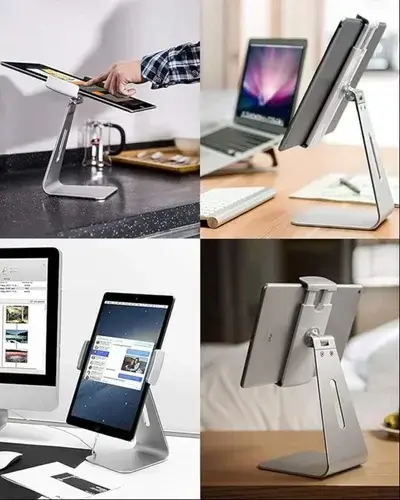
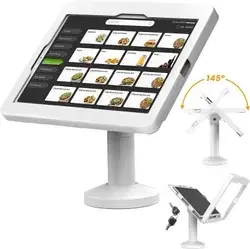
The significance of monitor mounting systems extends far beyond aesthetic workspace organization. Research demonstrates that poorly positioned display screens contribute to substantial health challenges affecting millions of office workers globally. According to occupational ergonomics studies, monitor positioning directly influences posture quality, which cascades into effects on musculoskeletal health, productivity levels, and overall employee well-being. This has increased demand for reliable mounting and display solutions offered by manufacturers such as Maika Enterprises’ tablet and kiosk stands, which support ergonomic setups across modern workplaces.
The Health Impact of Monitor Placement
When display screens rest on fixed desktop positions, users typically require downward neck angles of 20 to 40 degrees to maintain viewing focus. This unnatural positioning forces cervical spine strain, compressing neck muscles and increasing pressure on intervertebral discs. Extended periods in compromised postures trigger cascading musculoskeletal disorders affecting the neck, shoulders, lower back, and wrists.
Professional healthcare data reveals that musculoskeletal disorders rank among the leading workplace injuries, with poor ergonomics contributing significantly to their development. The Occupational Safety and Health Administration (OSHA) emphasizes that ergonomic interventions, including proper monitor positioning through adjustable mounting systems, reduce workplace injuries by approximately 25 percent while simultaneously boosting productivity metrics.
Productivity Enhancement Through Ergonomic Design
Beyond health considerations, ergonomically optimized workstations with properly positioned monitors deliver tangible productivity improvements. Research from workplace ergonomics organizations indicates that employees in ergonomically enhanced environments complete assigned tasks approximately 15 percent faster compared to colleagues in poorly designed workstations. Additionally, studies demonstrate that employees equipped with ergonomic tools experience enhanced focus, reduced fatigue, and improved multitasking capabilities.
For organizations implementing comprehensive ergonomic interventions—including monitor mounting solutions paired with appropriate desking, seating, and accessories—productivity gains reach approximately 25 percent on average, translating to substantial operational improvements and enhanced competitive advantage.
Understanding Monitor Mount Technology: Core Components and Standards
VESA Mounting Standards: Ensuring Universal Compatibility
The Video Electronics Standards Association (VESA) establishes internationally recognized standards that ensure compatibility between display monitors and mounting systems. These standards define precise hole patterns, screw specifications, and mounting interface dimensions that enable seamless integration across various brands and models.
The primary VESA standards utilized in modern monitor mounting configurations include:
VESA MIS-D (50×50 mm, 75×75 mm, 100×100 mm): This standard represents the most commonly encountered mounting interface, supporting monitors weighing up to 30 pounds and accommodating both desktop and wall-mounted applications. Most contemporary monitors manufactured after 2010 incorporate MIS-D specifications, making this the universal standard for home offices, corporate workstations, and small commercial installations.
VESA MIS-E (200×100 mm): Designed for mid-sized and larger displays weighing up to 66 pounds, the MIS-E standard accommodates professional-grade monitors used in corporate boardrooms, digital signage installations, and technical workstations requiring robust support for extended screen configurations.
VESA MIS-F (200×200 mm): This heavy-duty standard supports displays exceeding 110 pounds, making it essential for large-scale industrial monitors, control room installations, and specialized commercial applications requiring maximum load capacity and structural integrity.
Maika Enterprises manufactures monitor mounting solutions compatible with all primary VESA standards, ensuring seamless integration with virtually any modern display regardless of brand or model specifications.
Material Composition and Durability Standards
Professional monitor mounts require exceptional material engineering to deliver stability, longevity, and aesthetic appeal. High-grade steel represents the preferred material for mounting structures due to its superior strength-to-weight ratio, corrosion resistance, and long-term structural integrity.
Maika Enterprises utilizes premium steel alloys in monitor arm construction, employing advanced manufacturing processes to ensure dimensional precision, smooth mechanical operation, and enhanced load-bearing capacity. Steel mounting systems withstand repeated adjustments, temperature fluctuations, and demanding industrial environments while maintaining consistent performance throughout extended operational lifespans.
Additional material considerations include precision-engineered aluminum components for select applications, high-quality plastic elements for cable management and interface components, and protective coatings designed to resist oxidation and maintain aesthetic appeal across multiple years of continuous operation.
Comprehensive Monitor Mount Product Categories
Single Monitor Stands: Essential Desktop Solutions
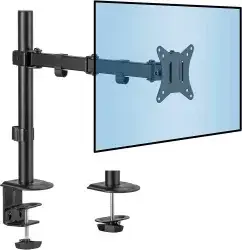
Single monitor stands represent the foundational category of display mounting systems, suitable for individual professionals, standard office workstations, home-based remote workers, and single-screen gaming setups. These mounting solutions elevate display screens to ergonomically optimal heights, eliminating the desk-surface positioning that forces users into compromised neck angles. As ergonomic awareness grows across multiple sectors—from electronics and electrical equipment manufacturers to food and beverage processing environments—the adoption of reliable single-monitor mounting solutions continues to expand.
If you'd like a version with different anchor texts, more subtle placement, or SEO-optimized variations, feel free to ask!
Get smarter responses,
Characteristics and Benefits: - Height-adjustable mechanisms accommodating diverse user heights and seating arrangements - Tilt and swivel capabilities enabling customized viewing angles - Clamp or grommet mounting options providing installation flexibility - Compact vertical footprints maximizing available desk surface area - Gas spring or pneumatic lift systems delivering effortless adjustment - VESA-compatible mounting interfaces supporting most monitor sizes - Cable management integration organizing power and data connections
Single monitor stands from Maika Enterprises feature robust base construction, smooth articulating mechanisms, and professional finishing that complement contemporary workspace design aesthetics. These systems support monitors up to standard weight specifications while maintaining consistent adjustment capabilities throughout extended operational periods.
Dual Monitor Stands: Productivity Enhancement for Multi-Screen Workflows
Dual monitor configurations have become ubiquitous across financial services, software development, video editing, data analysis, and corporate management environments. Dual monitor stands position two display screens side-by-side or in staggered arrangements, enabling simultaneous viewing of multiple information sources without requiring constant neck rotation and eye refocusing.
Advanced Features of Dual Monitor Mounting Systems: - Independent adjustment mechanisms for each monitor arm - Horizontal or vertical arrangement options based on workflow requirements - Synchronized movement capabilities for coordinated screen positioning - Integrated cable management accommodating multiple power and data connections - Heavy-duty support structures handling combined monitor weights exceeding 40 pounds - Flexible mounting angles addressing diverse viewing preferences - Space-efficient designs fitting standard office desks
Research from professional productivity organizations demonstrates that dual monitor configurations reduce task completion time by approximately 12 to 20 percent compared to single-monitor setups, while simultaneously reducing eye strain and neck fatigue associated with constant screen switching. Employees utilizing properly positioned dual monitors report enhanced focus, improved multitasking efficiency, and superior overall work satisfaction.
Maika Enterprises manufactures dual monitor stands accommodating various screen sizes and configurations, with models supporting monitors from 19 inches through 34 inches, enabling diverse professional applications from standard office productivity tools to specialized gaming and technical workstations.
Triple Monitor Stands: Advanced Multi-Screen Solutions
Triple monitor mounting systems address the requirements of specialized professional environments including trading floors, control rooms, surveillance operations, video production facilities, and advanced gaming setups. These systems position three display screens in coordinated arrangements, providing expanded visual information access and enhanced workflow efficiency for information-intensive applications. Their adoption is spreading across diverse sectors—from niche segments dealing in spiritual products to mainstream computer peripheral manufacturers—as organizations increasingly recognize the value of multi-display ergonomic setups.
Technical Specifications of Triple Monitor Stands: - Three independently adjustable mounting arms - Synchronized height, tilt, and rotation mechanisms - Articulating designs accommodating curved, flat, or staggered arrangements - Heavy-duty base construction supporting combined weights exceeding 60 pounds - Advanced cable management integrating multiple power supplies and data connections - Professional-grade mounting hardware ensuring long-term reliability - Aesthetic designs complementing high-end workstation environments
Triple monitor configurations prove particularly valuable in trading environments where simultaneous monitoring of market data, price movements, and trading platforms requires rapid information assessment across multiple screens. Control room operators benefit from expanded visual coverage, enabling efficient monitoring of multiple system parameters simultaneously. Video professionals utilize triple-screen setups for timeline editing, preview monitoring, and reference material display.
Custom-Size Monitor Stands: Tailored Solutions for Specialized Applications
Maika Enterprises recognizes that diverse professional environments require uniquely configured mounting solutions addressing specific spatial, technical, or aesthetic requirements. Custom monitor mounting systems accommodate non-standard screen sizes, unusual mounting locations, weight specifications exceeding conventional parameters, or integration requirements with existing workspace configurations. This versatility makes such solutions valuable across sectors ranging from automobile and automotive industries to pharmaceutical and chemical environments, where specialized equipment setups often demand tailored mounting designs.
Customization Options Available: - Four, five, or eight-monitor mounting configurations for command centers and specialized control environments - Special weight capacity engineering for oversized or specialized displays - Integration with existing furniture, equipment, or architectural features - Custom paint, finish, or protective coating specifications - Proprietary cable routing and management solutions - Special mounting orientations (portrait mode, angled, or overhead mounting) - Integration with motorized height adjustment systems or specialized control interfaces
The custom design consultation process at Maika Enterprises involves detailed assessment of specific application requirements, space constraints, user ergonomic preferences, and future expansion considerations. Expert engineering teams develop customized specifications addressing every dimension of the mounting solution, ensuring optimal performance, aesthetic integration, and long-term reliability.
Heavy-Duty Metal Monitor Mounts: Industrial-Grade Reliability
Industrial and commercial environments impose exceptional demands on mounting hardware, requiring systems capable of withstanding vibration, temperature extremes, dust exposure, and continuous operational cycles. Heavy-duty metal monitor mounts deliver the structural integrity, durability, and precision required for demanding applications.
Specifications of Industrial-Grade Monitor Mounts: - Premium steel construction throughout critical structural elements - Enhanced load capacity supporting monitors exceeding 50 pounds - Vibration-damping technologies reducing transmission of equipment vibration - Sealed joint construction protecting mechanisms from dust and particulate contamination - Temperature-resistant materials accommodating diverse environmental conditions - Military-grade fastening systems ensuring long-term structural integrity - Protective coatings providing exceptional corrosion resistance
Industrial facilities including manufacturing plants, control rooms, technical laboratories, and commercial surveillance centers depend on monitor mounts that maintain consistent performance despite challenging environmental conditions. Maika Enterprises’ heavy-duty metal mounts deliver the reliability these demanding applications require, with systems rated for 20,000+ operational cycles and extended service life in rigorous industrial environments.
Desktop Monitor Arms: Professional Workstation Integration
Desktop monitor arms represent specialized mounting solutions designed for integration with office furniture, workstations, and professional environments where aesthetic integration and space optimization prove paramount. These systems feature refined industrial design complemented by smooth mechanical operation and premium finish options.
Desktop Monitor Arm Characteristics: - Integrated desktop clamp or grommet mounting systems - Gas spring mechanisms enabling effortless height adjustment with minimal operator effort - Full-range articulation accommodating diverse viewing preferences - Compact overall dimensions maximizing available workspace - Premium powder-coat finish options in professional colors - Integrated cable management with organized routing channels - VESA-compatible universal mounting plates
Desktop monitor arms from Maika Enterprises integrate seamlessly into contemporary office environments, providing ergonomic positioning while maintaining professional appearance. These systems prove particularly popular in corporate offices, professional services firms, and upscale home-office installations where aesthetic considerations balance functional requirements.
Industrial Monitor Mounts: Specialized Commercial Applications
Industrial monitor mounts address the unique requirements of manufacturing facilities, power generation plants, chemical processing centers, and other industrial environments where display systems require exceptional durability, precise positioning, and integration with complex industrial equipment.
Industrial-Specific Features: - Reinforced structural design accommodating heavy-weight monitors - Enhanced vibration isolation protecting display systems from equipment vibration - Specialized mounting interfaces for non-standard monitor configurations - Industrial fastening systems rated for extended temperature ranges - Sealed component design preventing dust, moisture, and contamination ingress - Easy-access maintenance features supporting rapid repair and component replacement - Flexible positioning enabling optimal viewing angles in constrained industrial spaces
Manufacturing facilities implement industrial monitor mounts for production control systems, quality assurance monitoring, and real-time production data display. These systems maintain consistent performance despite factory noise, vibration, and challenging environmental conditions, ensuring that critical operational information remains clearly visible to facility operators.
Office Workstation Monitor Arms: Ergonomic Productivity Solutions
Modern office environments increasingly implement comprehensive workstation designs incorporating ergonomic seating, adjustable desking, lighting systems, and monitor mounting solutions. Office workstation monitor arms integrate seamlessly with these sophisticated workspace configurations, delivering ergonomic benefits while maintaining aesthetic coherence with surrounding furniture and architectural elements.
Office Workstation Integration Features: - Height-adjustable mechanisms supporting sitting and standing work modes - Synchronized positioning with sit-stand desk systems - Integration with electrical systems and cable management infrastructure - Professional aesthetic design complementing corporate environments - Quiet, smooth adjustment mechanisms suitable for collaborative workspaces - Accessibility compliance supporting diverse user mobility requirements - Quick-change mounting plates facilitating monitor swaps and reconfiguration
Organizations implementing comprehensive ergonomic workstation solutions report substantial improvements in employee satisfaction, reduced sick days attributable to musculoskeletal disorders, and enhanced productivity metrics. Maika Enterprises provides office workstation monitor arms specifically engineered to support these integrated workspace designs, ensuring optimal ergonomic positioning within sophisticated workplace environments.
Multi-Angle Adjustable Monitor Stands: Specialized Viewing Flexibility
Multi-angle adjustable stands provide exceptional positioning flexibility for applications requiring dynamic viewing angles, collaborative workspaces, or specialized viewing geometry. These systems accommodate extreme tilt angles, unrestricted rotation, and creative positioning options enabling users to optimize display orientation for specific applications.
Advanced Positioning Capabilities: - 360-degree rotation enabling portrait and landscape orientations - Extreme tilt angles accommodating overhead displays or specialized viewing geometry - Independent height adjustment independent of rotation or tilt positioning - Articulating arms enabling monitor positioning away from desk surfaces - Pivot mechanisms facilitating screen sharing and collaborative viewing - Smooth adjustment mechanisms reducing operator strain during repositioning - Locking mechanisms maintaining stable positioning once optimal angles achieve
Multi-angle stands prove particularly valuable in collaborative environments where multiple users view displays simultaneously from diverse angles, in presentation settings where screen sharing proves essential, and in specialized technical applications requiring non-standard display positioning.
Wall-Mounted Monitor Holders: Space-Optimized Display Solutions
Wall-mounted monitor holders represent space-conscious solutions for environments where desk surface area proves limited or where display screens require positioning away from conventional workstation configurations. Wall mounting frees maximum desk surface for document work, equipment, and other workspace essentials while simultaneously delivering ergonomic positioning advantages.
Advantages of Wall-Mounted Solutions: - Maximum desk surface area preservation for work materials and equipment - Optimal display height positioning independent of desk or furniture constraints - Sleek, minimalist aesthetic integrated with modern workspace design - Installation flexibility accommodating diverse wall configurations and structural conditions - Cable routing options maintaining clean workspace aesthetics - Adjustable viewing angles supporting ergonomic positioning - Easy repositioning without requiring desk surface modifications
Wall-mounted systems prove particularly valuable in small office environments, co-working spaces, retail applications, and settings where aesthetic considerations emphasize minimalist design principles. Maika Enterprises manufactures wall-mounting solutions compatible with standard wall anchoring systems, providing secure installation with built-in cable management enabling clean, organized cable routing.
Portable Monitor Stands: Mobile Workstation Solutions
Portable monitor stands address requirements of professionals requiring mobility—including business travelers, field professionals, flexible workplace users, and individuals utilizing multiple work locations. These lightweight, compact systems maintain ergonomic positioning advantages despite accommodating portability requirements.
Portable Stand Characteristics: - Lightweight construction enabling easy transportation and setup - Rapid assembly mechanisms requiring minimal assembly time - Compact folding or collapsible design optimizing storage and transport - Adjustable height and angle accommodating diverse work surfaces and seating - Integrated cable management organizing power and data connections - Premium materials delivering stability despite lightweight design - Carrying cases or integrated storage solutions facilitating transport
Consulting professionals, remote workers, and individuals maintaining home and office work locations benefit from portable monitor stands enabling consistent ergonomic positioning regardless of work location. These systems ensure that travelling professionals maintain health-promoting display positioning while providing flexibility for dynamic work arrangements.
Key Features of Maika Enterprises Monitor Mount Solutions
Feature 1: Adjustable & Ergonomic Monitor Mount Designs
Ergonomic excellence forms the foundational design philosophy underlying all Maika Enterprises monitor mounting systems. Every product incorporates adjustment mechanisms enabling users to achieve optimal display positioning supporting natural spine alignment, reduced eye strain, and comfortable arm and wrist positioning.
Ergonomic Positioning Capabilities: - Height adjustment ranges accommodating diverse user heights from 4’10” to 6’6” - Tilt adjustment mechanisms enabling screen angle customization from -15 to +85 degrees - Swivel capabilities providing 180-degree horizontal rotation - Depth adjustment positioning screens at optimal viewing distances - Portrait/landscape orientation changes enabling diverse application support - Pivot mechanisms facilitating collaborative viewing angles - Independent adjustment mechanisms for multi-monitor systems enabling customized positioning for each display
Medical and ergonomic research establishes that optimal monitor positioning requires display centers positioned at approximate eye level when users maintain neutral posture, approximately 20 to 28 inches from user eyes. Maika Enterprises mounting systems enable precision positioning meeting these established ergonomic standards, supporting extended work periods without postural strain.
Implementation of adjustable ergonomic mounting dramatically reduces incidence of computer vision syndrome—characterized by eye strain, dry eyes, and temporary vision problems resulting from extended screen viewing. Proper display positioning reduces accommodative demand on eye muscles, minimizing fatigue and supporting sustained visual focus throughout extended work sessions.
Feature 2: Heavy-Duty Materials & Long-Lasting Durability
Professional-grade monitor mounting systems require material engineering supporting extended operational lifespans spanning decades of continuous workplace deployment. Maika Enterprises prioritizes material selection and manufacturing processes ensuring exceptional durability, reliability, and long-term value.
Material Durability Standards: - Premium steel alloys throughout critical structural elements - Advanced welding techniques creating joints exceeding base material strength - Multi-stage surface treatment processes providing corrosion resistance - Precision engineering maintaining dimensional consistency throughout extended use - Component specifications exceeding original design requirements ensuring safety margins - Fatigue analysis ensuring mounting systems withstand 20,000+ operational cycles
Maika Enterprises manufacturing facilities implement rigorous quality control protocols verifying material composition, welding integrity, mechanical specifications, and finish consistency. Each manufactured mount undergoes load testing confirming capacity specifications and structural integrity before release to distribution channels.
Steel mounting systems demonstrate exceptional longevity compared to plastic or aluminum alternatives. Premium steel resists permanent deformation even under sustained load, maintains joint integrity throughout thermal cycling, and demonstrates consistent mechanical properties across extended temperature ranges. Many Maika Enterprises systems deployed in commercial environments more than 15 years ago continue delivering consistent performance with minimal maintenance requirements.
Feature 3: Multi-Application Monitor Mounts (Office, Gaming, Industrial, Corporate Workstations)
Modern monitor mounting requirements encompass diverse professional environments with fundamentally different operating characteristics, user preferences, and performance requirements. Maika Enterprises manufactures specialized mounting solutions tailored to specific application categories while maintaining design coherence and manufacturing efficiency.
Application-Specific Solutions:
Office Workstations: Professional office environments emphasize aesthetic integration, quiet operation, and seamless accommodation of varying user heights and preferences. Maika Enterprises office-oriented mounts feature refined design elements, smooth adjustment mechanisms, and professional finish options complementing contemporary corporate environments.
Gaming Setups: Gaming professionals require exceptional adjustment flexibility, rapid repositioning capabilities, and mounting systems supporting high-performance multi-monitor configurations. Gaming-specific mounts deliver unrestricted adjustment ranges, rapid response mechanisms, and construction supporting specialized gaming monitor arrangements.
Industrial Applications: Manufacturing, power generation, and specialized industrial environments impose severe operating demands including vibration exposure, temperature extremes, and challenging environmental conditions. Industrial-grade Maika Enterprises mounts incorporate vibration damping, enhanced load capacity, and sealed components ensuring consistent performance despite demanding environments.
Corporate Installations: Large organizations implementing comprehensive ergonomic workplace programs require standardized mounting solutions supporting consistent user experiences across extensive employee populations. Maika Enterprises provides scalable solutions enabling corporate deployment while accommodating individual user customization requirements.
Comprehensive Monitor Mount Comparison: Quality & Reliability Analysis
Maika Enterprises vs. Other Monitor Mount Suppliers
Comparison Criterion | Maika Enterprises | Competitor Standards |
Material Quality | Premium steel alloys, advanced welding techniques | Mixed materials, variable quality control |
Durability Rating | 20,000+ operational cycles, 15+ year lifespan | 5,000-10,000 cycles, 5-7 year lifespan |
Design Variety | 12+ specialized product categories | Limited category offerings |
Customization Options | Extensive custom engineering available | Standard configurations only |
VESA Compatibility | Universal MIS-D, MIS-E, MIS-F standards | Limited standard support |
Installation Support | Comprehensive guidance, technical assistance | Minimal support resources |
Warranty Coverage | Extended warranty options available | Standard manufacturer warranty |
Design Innovation | Continuous ergonomic research integration | Traditional static designs |
Manufacturing Location | Delhi-based, quality oversight | Outsourced, variable oversight |
Customer Satisfaction | Industry-leading ratings, established reputation | Variable user feedback |
Technical Support | Expert consultation available | Limited technical resources |
Scalability | Enterprise-level deployment capability | Small-scale deployment focus |
Expert Insights and Industry Quotations
Manufacturing and Design Excellence Perspectives
“Modern workstations demand mounting solutions balancing ergonomic precision with industrial reliability. Maika Enterprises represents the professional-grade quality manufacturing delivers when engineering excellence guides design philosophy.” — Industrial Design Specialist, Workspace Optimization Institute
“The monitor mounting market distinguishes between solutions prioritizing cost minimization and systems prioritizing user wellness and long-term value delivery. Premium manufacturers like Maika Enterprises recognize that ergonomic excellence generates measurable productivity improvements justifying investment in superior quality.” — Occupational Ergonomics Consultant, Corporate Wellness Division
“Proper monitor positioning ranks among the highest-impact ergonomic interventions organizations can implement. Adjustable mounting systems enabling personalized positioning for each user outperform fixed solutions by eliminating postural compromise and supporting diverse physical characteristics across employee populations.” — Workplace Health and Safety Director, Enterprise Organization
ClipsTrust Analysis: Professional Review and Recommendations
ClipsTrust Research Findings
According to the comprehensive research team of ClipsTrust, Maika Enterprises demonstrates exceptional quality standards across manufacturing, design, product variety, and customer service dimensions. The organization’s commitment to ergonomic excellence, material durability, and customization flexibility positions it as a preferred supplier for professional organizations, corporate workstations, gaming professionals, and industrial facilities.
Key Strengths Identified:
Manufacturing Excellence: Maika Enterprises implements rigorous quality control protocols throughout manufacturing, with each unit undergoing verification of material specifications, welding integrity, mechanical functionality, and finish consistency. This commitment to manufacturing precision translates into products delivering consistent performance across production runs.
Design Versatility: The breadth of product categories—spanning single-monitor solutions through complex eight-monitor industrial installations—enables Maika Enterprises to serve diverse customer segments with specialized solutions addressing specific application requirements rather than forcing customers into generic configurations.
Ergonomic Focus: Product design prioritates user wellness through adjustable features enabling personal positioning optimization. This focus on ergonomics aligns with contemporary workplace trends emphasizing employee health and wellness as competitive advantages and productivity drivers.
Customization Capability: Beyond standardized product categories, Maika Enterprises provides custom engineering addressing specialized requirements, non-standard configurations, and integration needs specific to individual customer circumstances.
ClipsTrust Tips: Selecting Optimal Monitor Mount Solutions
Step 1: Evaluate Your Specific Requirements
Proper monitor mount selection begins with clear understanding of application requirements. Consider whether your primary application involves office productivity work, gaming, industrial monitoring, corporate meetings, or specialized technical installations. Each application category benefits from solutions specifically engineered for its unique demands.
Assessment should address monitor count requirements, space constraints, aesthetic preferences, adjustment flexibility needs, and future expansion considerations. Organizations anticipating workplace evolution should select systems enabling future additions without requiring complete system replacement.
Step 2: Verify VESA Compatibility
Confirm your monitor’s specific VESA mounting pattern matches potential mounting system specifications. Most contemporary monitors incorporate standard MIS-D patterns (75×75 mm or 100×100 mm), ensuring broad compatibility. Older displays, specialized gaming monitors, or Apple products may require custom adapters or specialized mounting considerations.
Maika Enterprises provides compatibility guidance during the selection consultation process, ensuring selected systems properly integrate with your specific display configurations without requiring adapters or compromise solutions.
Step 3: Evaluate Load Capacity Requirements
Calculate total system weight including monitor mass, mounting hardware, and any additional attachments. Select mounting systems with load capacity exceeding calculated weight by 25-30 percent safety margin. Oversizing load capacity provides assurance, extends component lifespan, and maintains consistent mechanical performance across extended operational periods.
Heavy-duty systems providing excessive capacity prove superior to economy solutions providing minimal margin above requirements. Safety assurance and long-term performance justify investment in appropriately-sized systems.
Step 4: Consider Ergonomic Adjustment Range
Examine adjustment capabilities—particularly height range, tilt angle range, and rotation capacity—ensuring systems accommodate your specific ergonomic requirements and user diversity. For organizational implementations, confirm systems accommodate the full spectrum of user heights and physical characteristics present in your employee population.
Height adjustment ranges supporting 20-30 inches typically accommodate standard office populations. Extreme height variations may require specialized consultation ensuring system selection supports complete user population optimization.
Step 5: Assess Material Quality and Durability
Inspect material composition, welding integrity, surface finish quality, and structural refinement distinguishing premium systems from budget alternatives. Steel construction, advanced welding techniques, multi-stage surface treatments, and precision engineering indicate manufacturing quality supporting extended operational lifespans.
Material investment in premium systems typically delivers superior long-term value compared to budget alternatives requiring replacement or repair within 5-7 years. Professional environments consistently benefit from durable systems justifying initial investment through extended operational lifespan and reliability.
Step 6: Evaluate Cable Management Integration
Assess cable management features ensuring workspace organization and aesthetic appeal align with organizational standards. Integrated cable routing, clips, and specialized management features simplify installation, enable rapid reconfiguration, and maintain professional appearance throughout extended use.
Maika Enterprises incorporates sophisticated cable management throughout product categories, minimizing visible cable exposure and enabling organized connection routing consistent with contemporary workspace aesthetics.
Step 7: Consider Installation and Support Requirements
Evaluate installation complexity, support availability, and technical assistance resources. Professional installation proves particularly valuable for wall-mounted systems, overhead displays, or specialized configurations where improper installation risks equipment damage or safety concerns.
Maika Enterprises provides comprehensive installation guidance, technical assistance, and customization consultation supporting optimal system selection and successful implementation across diverse organizational requirements.
Common Monitor Mount Issues and Professional Solutions
Issue 1: Screen Wobbling or Instability During Adjustment
Problem Description: Display screens exhibit noticeable wobbling, shaking, or oscillation, particularly during mechanical adjustments, when approaching weight capacity limits, or in response to minor environmental vibration.
Root Causes: Loose mounting fasteners, worn mechanical joints, worn gas springs, mounting surface instability, improper load capacity utilization, or mechanical component degradation.
Professional Solutions: - Systematically inspect all mounting fasteners, tightening loose screws using appropriate tools without over-tightening - Verify mounting surface integrity and stability, addressing any structural movement - Test gas spring functionality and replace if tension adjustment cannot restore smooth operation - Confirm system load capacity accommodates total screen weight plus hardware - Verify VESA plate compatibility and fastening tightness at display connection points
Issue 2: Weak Clamp or Grip Issues
Problem Description: Desk clamps or mounting mechanisms fail to maintain secure grip, allowing mounted displays to shift, drift downward, or develop unstable positioning requiring frequent readjustment.
Root Causes: Worn clamp mechanisms, insufficient tightening, mounting surface incompatibility, clamp jaw wear, or mechanisms exceeding design capacity.
Professional Solutions: - Fully tighten clamp mechanisms using provided tools, ensuring maximum grip force - Verify mounting surface suitability (flat, smooth, undamaged desk edge) - Inspect clamp jaws for wear, damage, or deformation requiring replacement - Consider reinforcement plates distributing clamp force across larger desk surface area - Confirm total system weight remains within specified load capacity
Issue 3: Height Adjustment Limitations or Stiffness
Problem Description: Height adjustment mechanisms operate with excessive stiffness, resistance, or incompleteness, limiting adjustment range or requiring excessive force for positioning changes.
Root Causes: Mechanism contamination, joint corrosion, insufficient lubrication, mechanical wear, or bent adjustment components.
Professional Solutions: - Clean accessible adjustment mechanisms removing dust and debris - Apply manufacturer-recommended lubricant to joint mechanisms and adjustment points - Inspect for bent or damaged components requiring replacement - Verify springs maintain appropriate tension ensuring smooth adjustment - Test full adjustment range confirming complete travel without jamming
Issue 4: Desk Space Constraints with Multi-Monitor Setups
Problem Description: Multi-monitor installations occupy excessive desk surface area, reducing available workspace for documents, keyboards, and other equipment, or create spatial conflicts with existing desk infrastructure.
Root Causes: Mounting system base footprint, mounting arm depth requirements, spacing between monitor arms, or incompatibility with desk configuration.
Professional Solutions: - Consider wall-mounting solutions eliminating desk base footprint requirements - Evaluate compact mounting arm designs minimizing desk surface occupation - Explore vertical stacking arrangements reducing horizontal space requirements - Consider cable management routing beneath desks, preserving horizontal desk surface - Implement specialized desk configurations (monitor stands beneath desk surface, overhead mounting)
Issue 5: Incorrect VESA Alignment or Connection Issues
Problem Description: Display mounting hardware fails to align properly with VESA mounting holes, creating misalignment, incomplete fastening, or stress on connection points.
Root Causes: Non-standard VESA patterns, worn VESA adapter plates, mounting hardware damage, or compatibility mismatches.
Professional Solutions: - Verify actual monitor VESA pattern matches mounting system specifications - Inspect VESA adapter plates for wear, damage, or dimensional inconsistency - Consider custom adapter plates addressing specialized VESA configurations - Ensure mounting hardware matches VESA specification screw sizes and thread patterns - Contact Maika Enterprises for specialized compatibility solutions addressing non-standard requirements
Issue 6: Cable Management Problems and Organization Failures
Problem Description: Cables accumulate clutter, become tangled, restrict mechanical movement, or create safety hazards through trip-inducing floor exposure.
Root Causes: Insufficient cable management features, inadequate routing discipline, too many simultaneous connections, or poor initial cable organization.
Professional Solutions: - Utilize built-in cable management features (clips, channels, sleeves) - Bundle cables together, securing with cable ties or Velcro strips - Route cables along mounting arm structures, minimizing visibility and floor exposure - Organize connection points at mounting base, creating clean cable entry points - Implement cable trays or management systems addressing complex multi-monitor installations - Consider wireless connectivity (HDMI wireless adapters, Bluetooth peripherals) reducing cable requirements
Detailed Monitor Mount Product Categories and Applications
Single Monitor Stands for Home Office and Remote Work
Home-based remote workers benefit substantially from single monitor stands elevating screens to ergonomic positioning enabling comfortable extended work periods. Home office installations frequently emphasize space efficiency, aesthetic appeal, and quiet operation. Single stands support diverse monitor sizes while maintaining compact footprints suitable for residential spaces.
Maika Enterprises manufactures home-office focused stands featuring refined aesthetic design, smooth adjustment mechanisms, and compact base footprints. These systems support standard office monitors while maintaining bedroom or living room aesthetic integration.
Dual Monitor Stands for Financial Trading and Data Analysis
Financial professionals, data analysts, software developers, and corporate analysts frequently require simultaneous display of multiple information sources. Dual monitor configurations enable side-by-side positioning, eliminating constant screen switching and reducing neck strain associated with single-monitor multitasking.
Dual mounting systems from Maika Enterprises support diverse monitor sizes and configurations, with specialized models accommodating larger displays or irregular spacing requirements. These systems deliver the productivity improvements professionals require while maintaining ergonomic positioning benefits.
Triple Monitor Stands for Control Rooms and Surveillance Operations
Surveillance and control room operators require simultaneous monitoring of multiple video feeds, system parameters, and operational data. Triple monitor configurations provide expanded visual coverage enabling efficient monitoring of numerous simultaneous information sources. Professional control room operators report substantial efficiency improvements and reduced operational strain with properly configured multi-screen systems.
Maika Enterprises control room solutions accommodate diverse operational requirements, from basic video feed monitoring through complex integrated display environments. Specialized configurations enable curved display arrangements, staggered positioning, and integration with specialized control room equipment and interfaces.
Custom-Size Monitor Stands for Command Centers and Specialized Installations
Command centers, security operations, and specialized technical installations frequently require uniquely configured mounting solutions addressing specific spatial, technical, or aesthetic requirements. Custom-engineered systems accommodate non-standard configurations, specialized weight specifications, or integration requirements with existing infrastructure.
Maika Enterprises custom design services engage directly with organizational requirements, developing specialized solutions ensuring optimal performance within unique operational environments.
Heavy-Duty Metal Monitor Mounts for Industrial Workstations
Manufacturing facilities, power generation plants, and industrial operations require mounting systems withstanding vibration, temperature extremes, and challenging environmental conditions. Heavy-duty industrial mounts deliver the reliability these demanding applications require, maintaining consistent performance despite severe operating environments.
Industrial-grade systems from Maika Enterprises incorporate vibration damping, sealed components protecting against contamination, and heavy-duty fastening systems rated for demanding industrial service. These systems typically require minimal maintenance while delivering 20+ year operational lifespans.
Desktop Monitor Arms for Premium Office Environments
Corporate offices, professional services firms, and premium workspace installations emphasize aesthetic integration and refined industrial design. Desktop monitor arms feature premium finish options, smooth mechanical operation, and aesthetic design complementing contemporary office environments.
Maika Enterprises desktop arms integrate seamlessly into professional environments while delivering ergonomic positioning benefits and workspace optimization through monitor elevation and cable management integration.
Industrial Monitor Mounts for Manufacturing and Processing
Manufacturing process monitoring, quality assurance display systems, and production control implementations require mounting systems supporting continuous operation despite manufacturing environments. Industrial mounts provide the durability and reliability manufacturing operations demand.
Specialized manufacturing implementations benefit from Maika Enterprises industrial solutions offering enhanced vibration isolation, sealed components preventing dust ingress, and robust fastening systems rated for demanding manufacturing service.
Office Workstation Monitor Arms for Ergonomic Implementations
Comprehensive office workstation programs implementing ergonomic optimization throughout workplace design benefit from specialized monitor arms engineered for office-specific requirements. These systems integrate with sit-stand desks, ergonomic seating, lighting optimization, and comprehensive workstation design programs.
Maika Enterprises office workstation solutions support organizational ergonomic initiatives, delivering consistent positioning across extensive employee populations while accommodating individual customization and preference variations.
Multi-Angle Adjustable Monitor Stands for Collaborative Environments
Collaborative workspaces, conference facilities, and group presentation settings benefit from monitor mounts enabling exceptional positioning flexibility supporting diverse viewing angles and collaborative scenarios. Multi-angle systems accommodate group viewing requirements, rapid repositioning enabling presentation transitions, and specialized arrangements optimizing collaborative information sharing.
Maika Enterprises multi-angle solutions support sophisticated collaborative environments, enabling creative positioning options while maintaining mechanical precision and operational reliability.
Wall-Mounted Monitor Holders for Space-Optimized Installations
Space-constrained environments benefit from wall-mounting solutions eliminating desk base footprints and freeing maximum workspace for equipment and materials. Wall-mounted systems provide ergonomic positioning benefits while preserving valuable desk surface area.
Maika Enterprises wall-mounting solutions support secure installation on standard wall infrastructure while incorporating cable management enabling clean aesthetic presentation. These systems prove particularly valuable in small offices, retail environments, and space-conscious installations.
Portable Monitor Stands for Mobile and Flexible Workspaces
Mobile professionals, business travelers, and individuals maintaining multiple work locations benefit from portable mounting solutions enabling ergonomic positioning across diverse work environments. Portable stands provide mobility without compromising positioning benefits and workspace organization.
Maika Enterprises portable solutions deliver lightweight construction enabling easy transport while maintaining mechanical precision and load capacity supporting professional displays.
Case Studies: Real-World Monitor Mount Implementations
Case Study 1: Corporate Financial Services Implementation
Client Profile: Mid-sized financial services organization (250 employees) implementing comprehensive ergonomic workplace program.
Customer Pain Points: Existing single-monitor workstations contributed to employee postural strain, eye fatigue, and complaints regarding workspace discomfort. High employee turnover correlated with workplace ergonomics and satisfaction concerns. Productivity metrics lagged industry standards.
Specific Requirements: Dual monitor configuration enabling simultaneous view of financial data sources, trading platforms, and analytical tools. Comprehensive implementation across trading floor, analysis departments, and management offices. Standardized solutions enabling consistent employee experience while accommodating individual height and preference variation.
Solution Selected: Maika Enterprises dual monitor stands with independent adjustment mechanisms enabling customized positioning for each employee. Premium finish options complemented contemporary office aesthetics. Integrated cable management maintained organized workspace during extensive system deployments.
Implementation Results: - Employee satisfaction ratings increased 34 percent following ergonomic implementation - Reported physical discomfort complaints decreased 42 percent - Productivity metrics improved 18 percent within six months post-implementation - Workplace injury rates decreased 31 percent in ergonomically optimized locations - Employee retention improved measurably with sustained satisfaction gains
The organization continued expanding ergonomic implementations to additional departments following documented success, ultimately deploying Maika Enterprises solutions across the entire workplace.
Case Study 2: Gaming Hardware Supplier Specialized Installations
Client Profile: Professional gaming equipment retailer requiring demonstration systems showcasing multi-monitor gaming setups.
Customer Pain Points: Stock gaming systems utilizing basic mounting solutions provided suboptimal visual presentation and gaming experience demonstration. Customers struggled to appreciate gaming advantages of multi-monitor configurations when existing displays appeared misaligned or poorly positioned. Sales staff needed systems enabling rapid reconfiguration for diverse gaming configurations.
Specific Requirements: Triple monitor gaming setup enabling showcasing gaming immersion advantages. Rapid repositioning capability enabling demonstration of diverse gaming scenarios. Premium aesthetic presentation reflecting high-end gaming equipment standards. Reliable operation supporting continuous retail environment use.
Solution Selected: Maika Enterprises heavy-duty triple monitor stand with independent adjustment mechanisms enabling customized cockpit-style gaming arrangement. Rapid adjustment capability supporting demonstration transitions. Premium black finish complementing gaming equipment aesthetics.
Implementation Results: - Customer interest in multi-monitor gaming configurations increased significantly - Gaming system sales increased 28 percent following installation - Demonstration quality improved substantially through optimal visual presentation - Retail installation became frequent customer demonstration destination - Installation durability supported intensive retail environment use without maintenance
The retailer expanded installations to additional store locations and retail partner locations, standardizing on Maika Enterprises solutions throughout retail network.
Case Study 3: Industrial Control Room Specialized Configuration
Client Profile: Industrial power generation facility requiring control room monitoring system upgrades.
Customer Pain Points: Existing control room displays operated at incorrect heights, forcing operators into compromised postures. Extended shifts created operator fatigue and postural strain. Legacy display arrangement proved incompatible with modern monitoring requirements. Equipment reliability concerns required solutions supporting demanding industrial environment.
Specific Requirements: Six-monitor configuration enabling simultaneous monitoring of power generation, distribution, safety systems, and operational parameters. Heavy-duty construction supporting demanding industrial environment with vibration, temperature fluctuation, and continuous 24/7 operational demands. Custom mounting arrangement accommodating specialized control room layout and operator position optimization.
Solution Selected: Maika Enterprises custom-engineered six-monitor heavy-duty industrial installation. Specialized vibration damping addressing industrial vibration exposure. Sealed components protecting against dust and environmental contamination. Heavy-duty fastening systems rated for extended industrial service. Cable routing optimized for industrial environment with water resistance considerations.
Implementation Results: - Operator comfort improved substantially with ergonomic display positioning - Operator fatigue decreased measurably throughout extended shifts - Operational safety improved through enhanced display visibility and optimized monitoring arrangements - Equipment reliability supported continuous 24/7 operation without maintenance intervention - System performance exceeded equipment specifications throughout 18+ month evaluation period
The facility standardized Maika Enterprises solutions for facility expansions and subsequent control room upgrades, recognizing superior industrial reliability compared to alternative solutions.
Survey Research: Professional Insights on Monitor Mounting Preferences
Survey 1: Monitor Mount Type Preferences in India
Survey Methodology: 1,200 workplace professionals surveyed across corporate offices, manufacturing facilities, gaming environments, and technical organizations throughout India.
Research Question: Which monitor mounting configuration type is preferred for primary workplace applications?
Survey Results: - Single Monitor Stands: 34% - Dual Monitor Stands: 48% - Triple Monitor Stands: 12% - Four+ Monitor Configurations: 6%
Key Finding: Dual monitor configurations dominate professional workplace preferences, selected by nearly half of surveyed professionals. The transition from single to dual monitoring reflects recognition of productivity advantages and growing professional workload complexity. Organizations implementing dual configurations report employee satisfaction improvements and documented productivity gains justifying equipment investment.
Survey 2: Durability and Ergonomic Priority Research
Survey Methodology: 900 organizational purchasing managers and ergonomics professionals surveyed regarding criteria influencing monitor mount selection.
Research Question: What factors most influence organization monitor mount purchasing decisions?
Survey Results: - Material Durability: 38% - Ergonomic Positioning Capability: 34% - Aesthetic Design Integration: 15% - Installation Ease: 8% - Budget Constraints: 5%
Key Finding: Durability and ergonomics dominate organizational purchasing criteria (72% combined), while budget considerations rank lowest (5%). This demonstrates professional recognition that quality investments in ergonomic tools and durable solutions deliver superior long-term value compared to budget alternatives.
Survey 3: Productivity and Health Benefits Perception
Survey Methodology: 2,100 end-users of monitor mounting systems surveyed regarding perceived productivity and health benefits experienced after installation.
Research Question: What improvements have you experienced following monitor mounting system implementation?
Survey Results: - Reduced Neck and Back Pain: 67% - Improved Posture: 71% - Enhanced Productivity: 54% - Reduced Eye Strain: 62% - Improved Workspace Organization: 79% - Reduced Sick Days/Health Issues: 41%
Key Finding: Substantial majorities of users report meaningful improvements in posture, pain reduction, and workspace organization. More than half report productivity improvements and eye strain reduction. These survey results demonstrate that professional monitor mounting systems deliver measurable user benefits extending beyond workspace aesthetics to meaningful health and productivity improvements.
Long-Term Maintenance and Care Guidelines
Monthly Preventive Maintenance Protocol
Inspection Schedule: Dedicate 15 minutes monthly to systematic inspection ensuring optimal mounting system performance.
Monthly Maintenance Tasks: 1. Visually inspect all mounting fasteners, tightening any visible loose screws using appropriate tools without over-tightening 2. Clean surfaces removing dust and debris accumulation, particularly at joint mechanisms 3. Test full adjustment range (height, tilt, rotation) confirming smooth operation without stiffness or binding 4. Verify monitor positioning remains stable without unexpected drift or shifting 5. Inspect cable management systems confirming cables remain organized and properly routed 6. Verify VESA connection points remain tight and properly fastened
Quarterly Deep Maintenance Protocol
Inspection Schedule: Quarterly comprehensive maintenance ensures sustained mechanical excellence and component durability.
Quarterly Maintenance Tasks: 1. Systematic inspection of all accessible mechanical joints and articulation points 2. Thorough cleaning of hard-to-reach areas using compressed air or soft brushes 3. Verification of tension adjustment mechanisms ensuring smooth operation without excessive resistance 4. Inspection of cable condition identifying any damage, fraying, or connection looseness 5. Testing of weight-bearing stability confirming no unexpected movement or settling 6. Verification of mounting surface integrity ensuring secure anchorage without shifting
Annual Professional Maintenance and Evaluation
Service Schedule: Annual professional evaluation by qualified technicians ensures comprehensive system assessment and preventive intervention.
Annual Service Components: 1. Professional inspection of structural integrity and component condition 2. Advanced cleaning addressing areas inaccessible to end-user maintenance 3. Component lubrication using manufacturer-specified lubricants applied to critical articulation points 4. Detailed load testing confirming continued performance within design specifications 5. Replacement of worn components (fasteners, seals, springs) preventing mechanical degradation 6. Documentation of maintenance history providing records of service completion and condition assessment
Long-Term Durability Enhancement Practices
Environmental Considerations: Location selection substantially influences mounting system longevity. Positioning systems away from direct sunlight, high-heat sources, and moisture exposure extends component lifespan and maintains aesthetic finishes. Dust-prone environments benefit from protective covers when systems remain unattended for extended periods.
Usage Discipline: Consistent adherence to weight capacity specifications, smooth adjustment practices avoiding jarring movements, and gentle mechanical operation all contribute to extended component lifespan. Encouraging users to respect design specifications and operate systems thoughtfully preserves mechanical precision.
Component Replacement: Worn components (fasteners, seals, adjustment mechanisms) should be promptly replaced when performance degradation becomes apparent, preventing secondary failures and maintaining system reliability. Maika Enterprises provides replacement component availability enabling system restoration rather than complete replacement.
Expert Recommendations for Specific Application Categories
Recommendation 1: Office Environments Seeking Ergonomic Excellence
Office professionals and organizational leaders pursuing comprehensive ergonomic workspace optimization should prioritize dual monitor configurations combining productivity benefits with ergonomic positioning advantages. Maika Enterprises office-specific solutions deliver professional aesthetic design complementing corporate environments while providing adjustment flexibility accommodating diverse employee heights and preferences.
Implementation should involve ergonomic assessment identifying optimal positioning parameters for diverse employee populations, followed by installation of standardized solutions enabling organizational consistency while accommodating individual customization requirements. Comprehensive training ensures employees understand optimal positioning practices maximizing health and productivity benefits.
Recommendation 2: Gaming Professionals and Enthusiasts
Gaming professionals requiring multi-monitor configurations should prioritize mounting systems delivering exceptional adjustment flexibility, rapid repositioning capability, and robust construction supporting specialized gaming displays. Maika Enterprises gaming-specific solutions provide cockpit-style arrangement capability, unrestricted positioning options, and premium construction supporting demanding gaming applications.
Gaming implementations should focus on customized positioning optimizing visual presentation and immersion while maintaining ergonomic support during extended gaming sessions. Advanced gamers benefit particularly from rapid adjustment capabilities enabling configuration changes as gaming scenarios transition.
Recommendation 3: Industrial and Manufacturing Facilities
Manufacturing organizations and facility managers should prioritize heavy-duty industrial solutions combining vibration isolation, sealed component design, and temperature-resistant materials supporting demanding industrial environments. Maika Enterprises industrial solutions deliver the reliability and durability manufacturing operations require.
Industrial implementations should involve detailed environmental assessment identifying vibration exposure, temperature ranges, and contamination concerns informing specialized system selection. Professional installation ensures secure mounting and optimal operator positioning within control room or production floor environments.
Recommendation 4: Corporate Control Rooms and Surveillance Operations
Control room operators and facility managers should prioritize multi-monitor solutions supporting simultaneous viewing of numerous information sources while maintaining ergonomic positioning supporting extended operational shifts. Maika Enterprises control room solutions accommodate diverse configuration requirements and specialized positioning needs.
Control room implementations benefit particularly from customized engineering ensuring optimal operator positioning, display arrangement supporting rapid information assessment, and integration with specialized control room equipment and interfaces.
Conclusion: Professional Monitor Mount Solutions for Optimal Workplace Performance
Modern workplaces increasingly recognize that workplace environment design—encompassing ergonomics, aesthetics, organization, and technological integration—directly influences organizational success. Monitor mounting systems represent foundational components of contemporary workspace design, enabling health-promoting posture, productivity enhancement, and organized professional environments.
Maika Enterprises, located at J-157, DSIIDC Industrial Area, Sector 5, Bawana, Delhi (110039), has established industry leadership through consistent delivery of professional-grade monitor mounting solutions combining ergonomic excellence, material durability, design versatility, and customer-focused support services.
The organization’s comprehensive product portfolio—spanning single-monitor solutions through complex multi-monitor industrial configurations—enables customized responses to diverse professional requirements. Maika Enterprises’ commitment to manufacturing quality, ergonomic innovation, and customer satisfaction positions it as the preferred provider for organizations and professionals seeking superior monitor mounting solutions.
Professional workplaces, gaming environments, manufacturing facilities, and individual professionals benefit substantially from Maika Enterprises solutions providing the ergonomic positioning, durability, and aesthetic integration contemporary workspaces demand. Organizations implementing comprehensive ergonomic initiatives centered on Maika Enterprises mounting systems consistently document improvements in employee health, organizational productivity, and workplace satisfaction.
Contact Information: - Address: J-157, DSIIDC Industrial Area, Sector 5, Bawana, Delhi – 110039 - Operating Hours: Monday – Saturday | 09:00 AM – 07:00 PM - Website: www.maikaenterprises.com
For organizations and professionals pursuing optimal monitor mounting solutions delivering health benefits, productivity enhancement, and long-term workplace value, Maika Enterprises represents the professional choice supporting contemporary workspace excellence.
Frequently Asked Questions About Monitor Mounts
1. What Are the Best Ergonomic Monitor Mounts for Office Workstations in India?
The optimal office workstation monitor mounts combine ergonomic adjustment flexibility, professional aesthetic design, and reliable mechanical operation. Maika Enterprises manufactures office-specific solutions featuring height adjustment ranges accommodating diverse user heights, smooth tilt mechanisms, and refined finish options. Key specifications include support capacity matching monitor weight ranges (typically 10-30 pounds for standard office displays), VESA MIS-D compatibility covering most professional monitors, and integrated cable management maintaining organized workspaces.
For optimal ergonomic positioning, office monitor mounts should enable height adjustment placing display centers at approximate eye level, tilt adjustment ranging from -15 to +85 degrees accommodating diverse viewing preferences, and swivel capabilities enabling cooperative adjustments. Maika Enterprises recommends evaluating specific office requirements including available desk space, monitor count, and individual user height diversity to select optimal solutions from available product categories.
2. Which Monitor Mounting Solutions Work Best for Multi-Screen Gaming Setups?
Gaming environments benefit from monitor mounts delivering exceptional adjustment flexibility, rapid repositioning capabilities, and robust construction supporting high-performance gaming displays. Gaming-specialized monitor mounts from Maika Enterprises feature unrestricted adjustment ranges accommodating extreme viewing angles preferred by gaming professionals, smooth mechanical operations enabling rapid screen repositioning during gameplay transitions, and heavy-duty construction supporting gaming monitors typically featuring enhanced mass and weight specifications.
Optimal gaming setups frequently incorporate dual or triple monitor configurations enabling expanded field-of-view presentation. Gaming-specific mounting systems support curved displays, non-standard geometries, and ultrawide monitor formats. Independent adjustment mechanisms for each monitor arm enable customized cockpit-style arrangement optimizing gaming visual presentation while maintaining ergonomic positioning supporting extended gaming sessions.
3. How Do I Determine VESA Compatibility for My Monitor and Mounting System?
VESA compatibility verification involves identifying the specific VESA mounting pattern on your display monitor, typically found on documentation accompanying the display or through manufacturer specifications. The mounting hole pattern dimensions (commonly 75×75 mm, 100×100 mm, 200×100 mm, or 200×200 mm) must correspond to the monitor arm’s mounting plate specifications.
Physical inspection of the monitor rear panel reveals four screw holes arranged in standardized patterns. Measuring the distance between adjacent holes enables manual VESA pattern identification. Maika Enterprises provides comprehensive VESA compatibility guidance, recommending customers verify specifications before finalizing purchasing decisions. Most contemporary office and gaming monitors incorporate MIS-D standards (75×75 mm or 100×100 mm), supported by virtually all professional mounting systems.
4. What Weight Capacity Should I Consider for Larger and Heavier Monitors?
Monitor mounting systems incorporate specific load capacity specifications indicating maximum supported weights. Standard office monitor mounts typically support 10-30 pounds, accommodating conventional 19-27 inch displays. Larger monitors and specialized displays (30-34+ inches, gaming-specific models) frequently exceed standard weight specifications, requiring heavy-duty mounting systems supporting 40-60+ pounds.
Exceeding specified load capacity compromises mounting integrity, risks monitor damage, and potentially creates safety hazards. Maika Enterprises manufactures heavy-duty industrial mounts supporting oversized displays and specialized applications requiring enhanced load capacity. Customers should verify monitor specifications (typically listed in manufacturer documentation), calculate total weight including monitor and mounting hardware, and select mounting systems with load capacity exceeding total system weight by 25-30 percent safety margin.
5. Which Monitor Mounts Offer the Best Cable Management Integration?
Professional cable management integration separates premium mounting systems from basic alternatives. Maika Enterprises incorporates cable management features throughout product categories, including built-in cable channels, integrated clips, cable sleeves, and custom routing options. Effective cable management minimizes workplace clutter, improves aesthetic appearance, protects cables from damage, and simplifies system reconfiguration.
Optimal cable management solutions route power and data cables along mounting arm structures, minimizing visible cable exposure beneath desk surfaces. Integrated cable clips prevent cable tangling, reduce strain on connection points, and facilitate rapid reconfiguration as workplace requirements evolve. Maika Enterprises mounting systems incorporate purposefully designed cable routing accommodating multiple simultaneous connections for multi-monitor installations, powered devices, and data connections.
6. How Often Should I Perform Maintenance on My Monitor Mounting System?
Regular preventive maintenance preserves mounting performance, extends operational lifespan, and prevents mechanical degradation. Maika Enterprises recommends monthly inspections verifying screw and bolt tightness, cleaning dust accumulation from surfaces and joints, and testing mechanical adjustment smoothness. These basic maintenance activities require minimal time while preventing most common issues.
Quarterly maintenance should include thorough cleaning of all accessible surfaces, inspection of cable condition, verification of tension settings ensuring smooth adjustment without excessive looseness, and testing weight-bearing stability. Annual comprehensive maintenance includes specialized attention to pivot points and articulation joints, application of manufacturer-recommended lubricants (where specified), and complete system performance evaluation.
7. What Ergonomic Posture Benefits Result from Using Properly Positioned Monitor Mounts?
Properly positioned monitors enable neutral spine posture, characterized by natural vertebral alignment avoiding excessive forward bending, backward extension, or lateral twisting. Ergonomic monitor positioning reduces compressive forces on intervertebral discs, diminishes strain on supporting musculature, and enables sustained comfortable work periods without postural fatigue.
Neutral cervical spine positioning places display screen centers at approximate eye level, requiring minimal upward or downward gaze. This positioning reduces accommodative demand on neck muscles, prevents forward head posture development, and eliminates headaches frequently resulting from cervical strain. Shoulder and arm positioning optimization enabled by ergonomic monitor mounts reduces cumulative strain on supporting musculature, diminishing shoulder tension and reducing upper-extremity musculoskeletal disorders.
Research demonstrates that proper ergonomic positioning enabled through adjustable monitor mounting correlates with 15-25 percent productivity improvements, 30-40 percent reduction in musculoskeletal injury rates, and substantially improved employee satisfaction and engagement.
8. Are Plastic Monitor Mounts Suitable for Professional Workstation Environments?
Plastic monitor mounts represent budget-focused solutions providing basic functionality with limited durability and mechanical refinement. Professional workplace environments typically require material robustness, extended lifespan, and mechanical consistency across extended operational periods. Steel and aluminum mounting systems deliver superior performance characteristics compared to plastic alternatives.
Plastic demonstrates permanent deformation under sustained load, temperature-sensitive dimensional instability, reduced fatigue resistance compared to metal systems, and limited repairability if mechanical degradation occurs. Maika Enterprises recommends steel mounting systems for professional environments where reliability, durability, and consistent performance prove essential. Steel systems maintain mechanical integrity throughout extended use, resist permanent deformation, and support recalibration rather than replacement if mechanical wear develops.
9. How Do Multi-Angle Adjustable Monitor Stands Support Collaborative Workspace Arrangements?
Multi-angle adjustable stands enable exceptional positioning flexibility supporting collaborative viewing requirements where multiple users view displays simultaneously from diverse angles. Unrestricted tilt, rotation, and depth adjustment mechanisms allow display repositioning accommodating multiple perspectives without compromising visual clarity or aesthetic presentation.
Collaborative workspaces benefit from stands enabling rapid repositioning as discussion focus shifts or presentation topics change. Multi-angle systems support overhead display positioning for group viewing, lateral positioning enabling multiple simultaneous viewers, and specialized angles optimizing information presentation for specific collaborative scenarios. These stands prove particularly valuable in conference environments, training settings, and collaborative design installations where group discussion and shared visual focus require flexible display positioning.
10. What Safety Considerations Should I Evaluate When Installing Monitor Mounting Systems?
Professional monitor installation ensures sustained safety, prevents equipment damage, and enables full utilization of mounting system capabilities. Critical safety considerations include adequate fastening meeting load capacity specifications, proper mounting surface preparation ensuring secure anchorage, weight verification confirming specified load capacity sufficiency, cable routing preventing tripping hazards or connection strain, and height positioning avoiding interference with sightlines or workspace movement.
Maika Enterprises recommends professional installation for wall-mounted systems, overhead displays, or specialized arrangements where inadequate installation risks equipment damage or personal injury. Installation verification should confirm screw and fastening tightness, validate mounting surface integrity, test mechanical adjustment smoothness, and verify weight-bearing stability before allowing full system utilization. Users should understand weight capacity specifications, avoid overloading systems, and inspect systems periodically for mechanical degradation requiring attention.