Stellar iPhone Data Recovery Solutions for Seamless Restoration
ClipsTrust understands how distressing the loss of critical data such as iPhone photos, contacts, messages, and documents can be. That is why any serious iPhone data recovery application should be at your fingertips when accidental deletion, system failure, or iPhone corruption strikes.
What is Stellar iPhone Data Recovery Software?
Stellar iPhone Data Recovery is a smartly engineered and highly efficient app designed to recover lost files from any iPhone, iPad, or iPod Touch. The software retrieves movies, videos, music, pictures, messages, call history, notes, Safari bookmarks, chat logs, and other media files. Its intuitive interface guides users through quick and deep scan options, making the recovery process straightforward even for first-time users.
New Insight:
For users needing robust cloud archiving solutions alongside device recovery, tools like SysTools IMAP Backup provide seamless email backup options for multiple accounts, ensuring your messages remain secure even if your device fails.
Explore more: SysTools IMAP Backup
Whether your priority is photo restoration, contact retrieval, WhatsApp history recovery, or video rescue, this tool covers it all.
Reasons You Might Need Stellar iPhone Data Recovery
Accidental Deletion: Important files can get lost during a normal cleanup in just a second. Retrieve deleted iPhone pictures or messages with no difficulty.
Updating iOS or performing a factory reset: the frequent issue of data loss during an update or reset without prior backing up happens commonly. Get to know how to quickly restore your iPhone from an iCloud backup.
iPhone System Crash: A black screen, boot loop, or software error can make your phone unaccessible. Stellar excels at black screen data recovery and Apple logo restore.
Forgotten Passcode or Locked Device: Locked out due to forgotten credentials? Stellar supports data recovery without backup, so you never lose important information.
Water or Physical Damage: Spills and drops happen. Stellar’s broken iPhone data recovery retrieves files even from damaged hardware.
Quick Tip:
In case you are an Office 365 user who wants to take the precaution of protecting his entire mailbox before executing any dangerous actions, then SysTools Office 365 Backup is the best option for extensive cloud-to-local imposition of your data.
Learn more: SysTools Office 365 Backup
Stellar iPhone Data Recovery: Price and User Ratings Overview
Comparing pricing and rating of stellar iPhone Data Recovery Tools are given below:
Software | Pricing | Rating (out of 5) |
Stellar iPhone Data Recovery | $49.99-$69.99/year | 4.7/5 |
Dr.Fone iOS Recovery | $69.95/year | 4.4/5 |
iMy Fone D-Back | $59.95/year | 4.5/5 |
EaseUS MobiSaver | $59.95/year | 4.3/5 |
PhoneRescue for iOS | $69.99/year | 4.6/5 |
For users seeking versatile PST conversions before migrating data back to their device, a utility like SysTools PST Converter can help you transform and safeguard your archives.
Discover PST conversion: SysTools PST Converter
Featured table of stellar iPhone data recovery software
Here are some of the crucial features of iphone data recovery software by stellar are shown below:
Features | What it does |
Data Recovery | Gets back lost photos, contacts, messages, and more. |
From Anywhere | Recovers data from iphone, iTunes, or icloud |
Scan Options | Quick or deep scan based on your need |
Fully Compatible | Works with all iphone and iOS 18 |
File Preview | Lets you check files before restoring with iPhone restore |
Encrypted Backup | Recovers data from locked iTunes backups for iPhone backup recovery |
Chat Attachments | Supports whatsapp, LINE, KiK, and others |
Pick What to Recover | Choose only the data you want |
Additional Resource:
For comprehensive Yahoo Mail backups, including attachments and folder structure, SysTools Yahoo Backup offers an all-in-one solution.
Check it out: SysTools Yahoo Backup
Downloading and Installing Stellar iPhone Data Recovery
Step 1: Installation and Setup
Go to the official Stellar website and download the software and set it up on Windows or macOS. There is a free trial version to be tested to see how it works.
Step 2: Connect Your Device
Use a USB cable to connect an iPhone or an iPad or an iPod Touch. The software shall detect the device by itself.
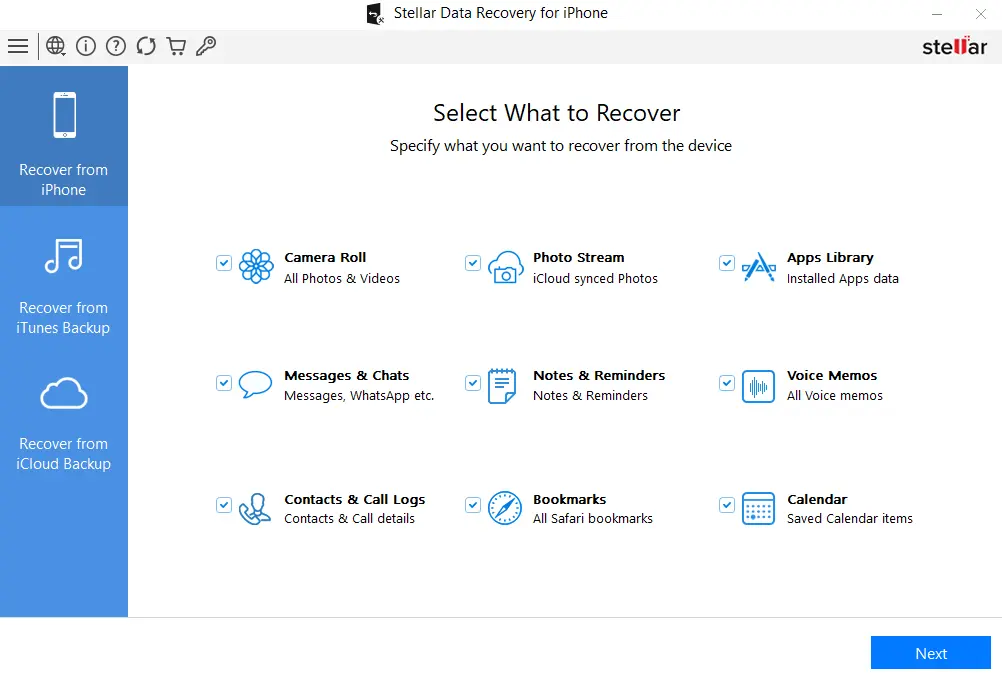
Step 3: Select the Recovery Mode
Click on "Recover from iPhone," "Recover from iTunes Backup," or "Recover from iCloud Backup."
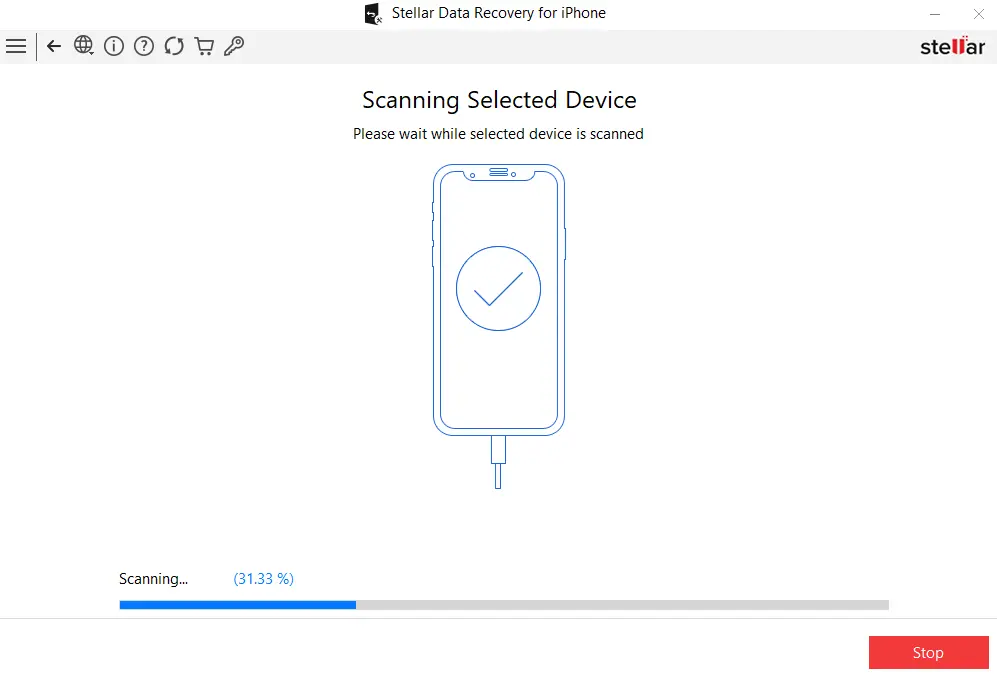
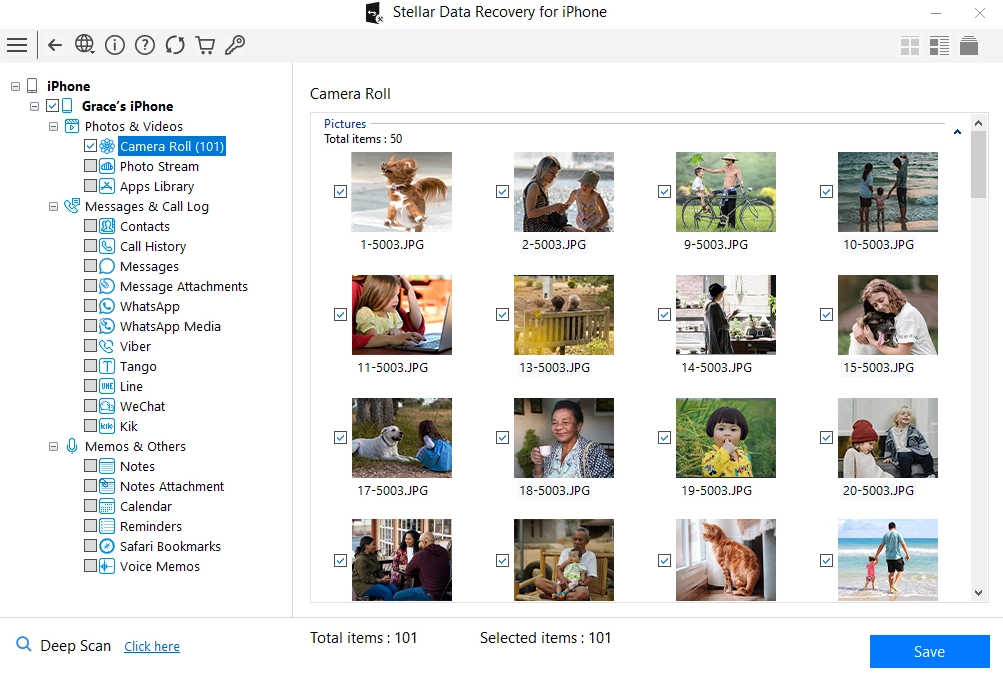
Step 4: Scan and Preview
Opt for Quick Scan or Deep Scan. Preview recoverable files—photos, chats, contacts—before saving.
Step 5: Recover and Save
Select files to restore and save them to a secure location on your system. Avoid restoring directly back to the device until recovery is complete.
Pro Tip:
To back up Gmail messages before recovery operations, explore top-rated solutions in our guide to the Best Gmail Backup Tools.
Why Choose Stellar iPhone Data Recovery?
Unlimited recoveries once licensed, support for every iOS data loss scenario, and optional in-lab recovery services offer up to 100% data retrieval. With professional support across India and a free trial version, Stellar is trusted by both individuals and organizations for reliable results and expert guidance.
For users in Gurugram seeking local service and personalized assistance with Stellar products, check out Stellar’s Gurugram office for in-person support.
Visit: Stellar Data Recovery Gurugram
ClipsTrust Recommendation
Stellar stands out as a Made-in-India solution offering:
Seamless recovery for deleted photos, messages, and contacts
Reliable restoration after failed updates or factory resets
Decryption support for locked iTunes and iCloud backups
Local customer support across major Indian cities
An all-in-one approach, combining ease of use with advanced features
Although not the fastest tool on the market, Stellar’s depth of features and strong customer support make it ideal for both personal and professional use.
Final Thoughts
Stellar iPhone Data Recovery has not only been a trusted but rather an easy-to-use solution with priority for lost data recovery from an iOS device. No matter if one has caused accidental deletion, or if there was a system crash or update failures, the software's extensive scanning features, backup integrations, and file preview functions will undeniably get you what you want. For further reassurance, it is advisable to combine your data recovery strategy with dependable cloud storage services such as those mentioned in our review of the Best Cloud Storage Apps.
FAQs
Q1. Does Stellar run on Windows and macOS?
Yes. It supports both platforms.
Q2. Can I preview files before saving?
Preview recoverable photos, messages, and contacts before final recovery.
Q3. Can it handle broken or inaccessible iPhones?
Yes. It can extract data from damaged devices or from backups.
Q4. Does Stellar recover WhatsApp data?
Yes. It recovers deleted WhatsApp chats and attachments from all sources.
Q5. Is dedicated customer support available?
Yes. Stellar offers 24/5 technical support and recovery guidance across India.
For video-specific recovery solutions, see our curated list of the Best Video Recovery Software. For photo-centric tools, explore the Best Photo Recovery Software.