



MetaTrader 4 vs MetaTrader 5 (mt4 vs mt5): Which is the Better Forex Trading Platform
According to the research team of clipstrust, choosing between mt4 vs mt5 is one of the most critical decisions for forex traders entering the market. Both platforms have revolutionized the way traders execute strategies, but understanding their distinct features, capabilities, and performance metrics is essential for maximizing your trading potential. This comprehensive guide explores every aspect of these two dominant trading platforms to help you make an informed decision. For a better understanding, it's essential to comprehend what is forex trading first.
Understanding MetaTrader 4 vs MetaTrader 5: Platform Overview
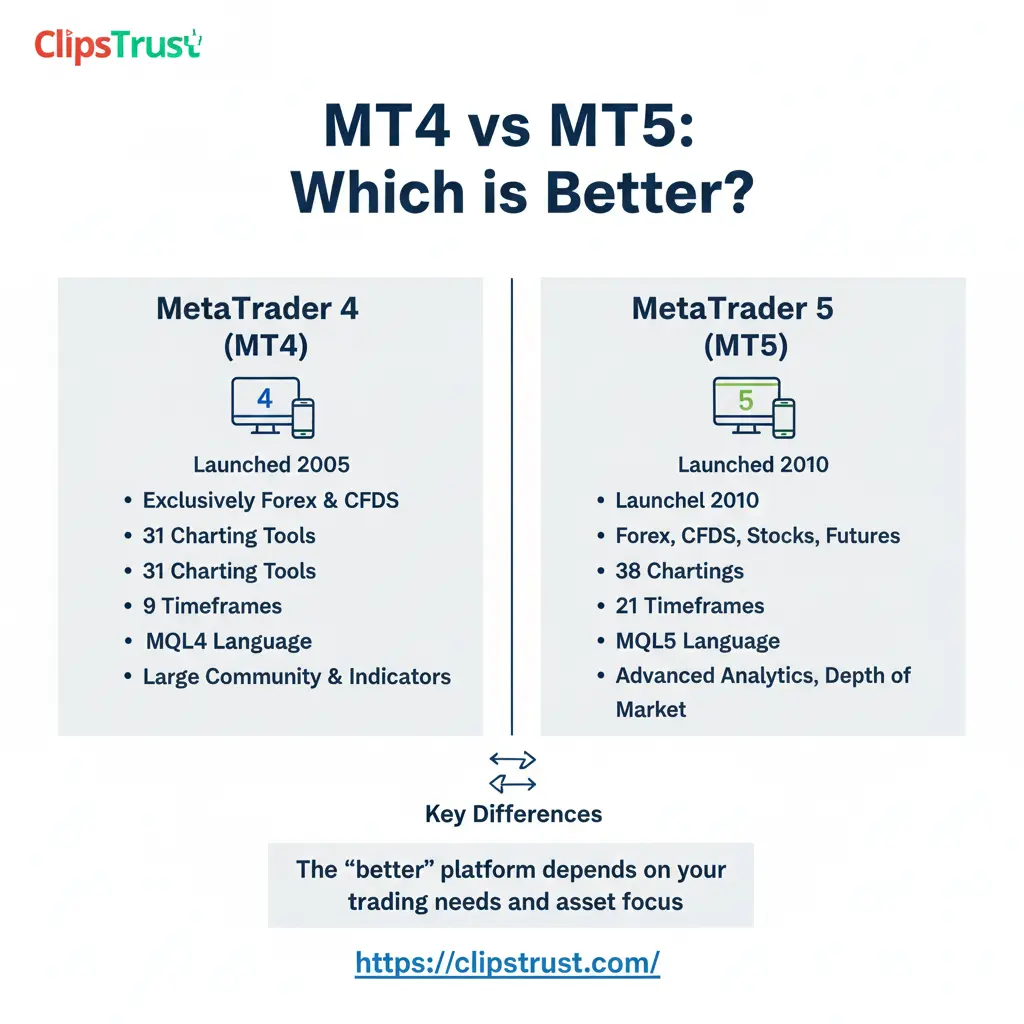
The best forex trading platforms require more than just basic functionality—they demand reliability, speed, and comprehensive analytical tools. MetaTrader 4, released in 2005 by MetaQuotes Software, established itself as the gold standard for forex traders worldwide. With over 10 million downloads on Google Play and a 4.8-star rating on iOS, MT4 remains the preferred choice for MT4 retail traders who value simplicity and proven track records. Learn how the forex market works.
MetaTrader 5, launched in 2010, represents a significant technological leap forward. The platform was designed as a multi-asset trading solution, moving beyond the MT4's forex-centric approach. According to the clipstrust team's analysis, MT5 has evolved into the ideal platform for traders seeking exposure to stocks, commodities, indices, futures, and cryptocurrencies alongside traditional forex trading. Learn how to open a Forex Trading Account Online before starting your trade.
MetaTrader 4 Complete Guide for Beginners
What Makes MetaTrader 4 the Foundation of Forex Trading?
MetaTrader 4 has maintained its dominance in the forex industry for nearly two decades, making it the ideal entry point for beginners. The platform's intuitive interface removes barriers for newcomers while still offering sophisticated tools for seasoned professionals. The MT4 advantages and disadvantages analysis reveals why this platform captures such a significant market share.
According to the clipstrust research team, MT4's greatest strength lies in its community support and extensive library of third-party tools. The platform includes 30 built-in technical indicators, 31 graphical objects for chart analysis, and support for 9 timeframes. These features provide adequate analytical depth without overwhelming new traders. Explore everything you need to know about What is MetaTrader 4 Forex Trading?
MetaTrader 4 Pros and Cons Analysis
The MetaTrader 4 pros and cons evaluation demonstrates why this platform remains relevant despite newer alternatives. MT4's straightforward design means traders can focus on strategy development rather than platform navigation. The platform's stability has proven exceptional, with minimal downtime or technical issues reported across its user base.
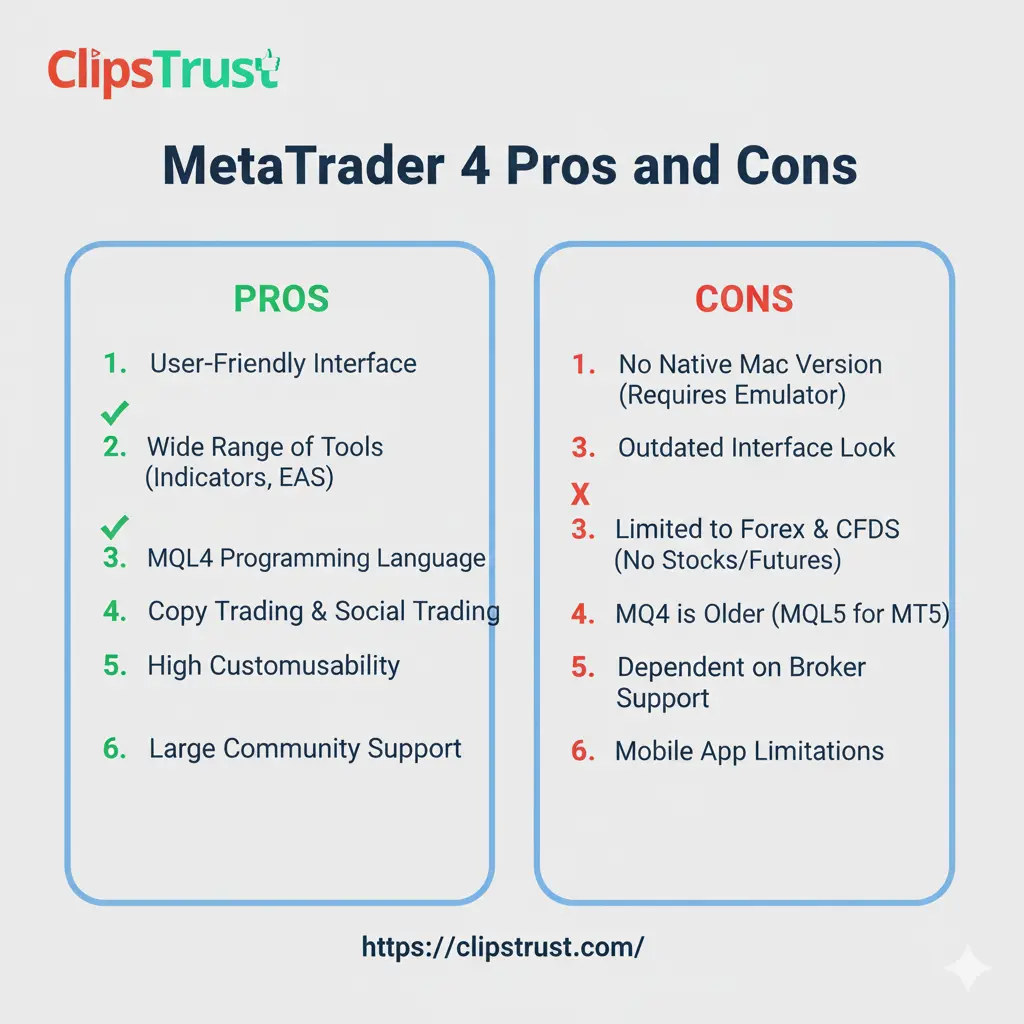
- Intuitive user interface designed for quick onboarding
- Extensive community support with thousands of trading forums and resources
- Lightweight architecture requiring minimal system resources
- Superior compatibility with brokers—nearly all forex brokers offer MT4
- Strong ecosystem of Expert Advisors and custom indicators
- Proven reliability with 20 years of industry leadership
- Excellent for forex trading specialization
- Easy customization through MQL4 programming language
- Limited to 9 timeframes compared to MT5's 21 options
- Only 30 built-in indicators versus MT5's 38
- No integrated economic calendar for news tracking
- Slower backtesting capabilities with single-threaded processing
- Limited order types (4 types versus MT5's 6)
- No depth of market (DOM) functionality
- Cannot trade stocks, futures, or options directly
- Outdated user interface design
How to Install MetaTrader 4 on Windows PC: Step-by-Step Installation
Installing MetaTrader 4 on Windows is a straightforward process requiring just five minutes. According to the clipstrust team's technical guidelines, following these steps ensures proper setup for trading. Readers also searched for how to Install MT4 and MT5.
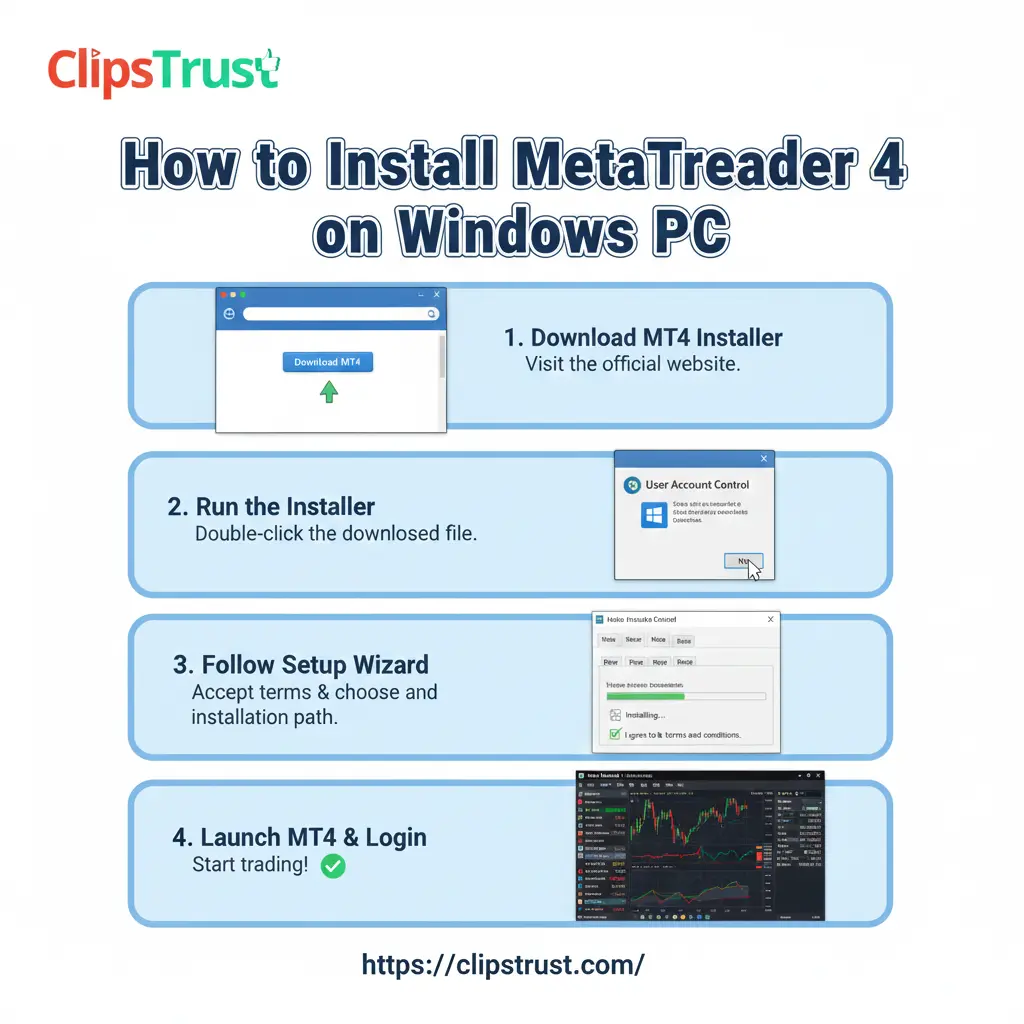
Step 1: Download the MetaTrader 4 Installer
Begin by visiting your broker's website and locating the MetaTrader 4 download section. Download the MT4 setup file (typically named MT4Setup.exe). Alternatively, you can obtain the installer directly from MetaQuotes' official website if you haven't selected a broker yet.
Step 2: Initiate the Installation Process
Locate the downloaded .exe file in your Downloads folder or preferred location. Right-click on the file and select "Run as administrator" to ensure proper installation permissions. Windows may display a security prompt—confirm that you wish to proceed with the installation. Understand how to use TradingView Forex Chart better with our forex technical analysis guide.
Step 3: Accept License Terms and Choose Installation Location
The MetaTrader 4 installation wizard will open. Read and accept the license agreement terms, then click "Next." Choose your preferred installation folder (the default location typically works best) and click "Next" again to proceed.
Step 4: Complete Installation and Launch Platform
The installer will download necessary files and complete the setup process. This typically takes 5-15 minutes depending on your internet speed. Once installation finishes, click "Finish" to close the wizard. MetaTrader 4 will automatically launch on your desktop. Explore the most effective Best Forex Trading Strategies That Work.
Step 5: Connect to Your Trading Account
Launch MetaTrader 4 and navigate to File > Open Account. Enter your broker's server details, account number, and password. For beginners, selecting a demo account allows practicing trading strategies without risking real capital. Click "Connect" to establish your connection with the broker's server.
MetaTrader 5 Complete Guide: Advanced Trading Platform
Why MetaTrader 5 Represents the Future of Multi-Asset Trading
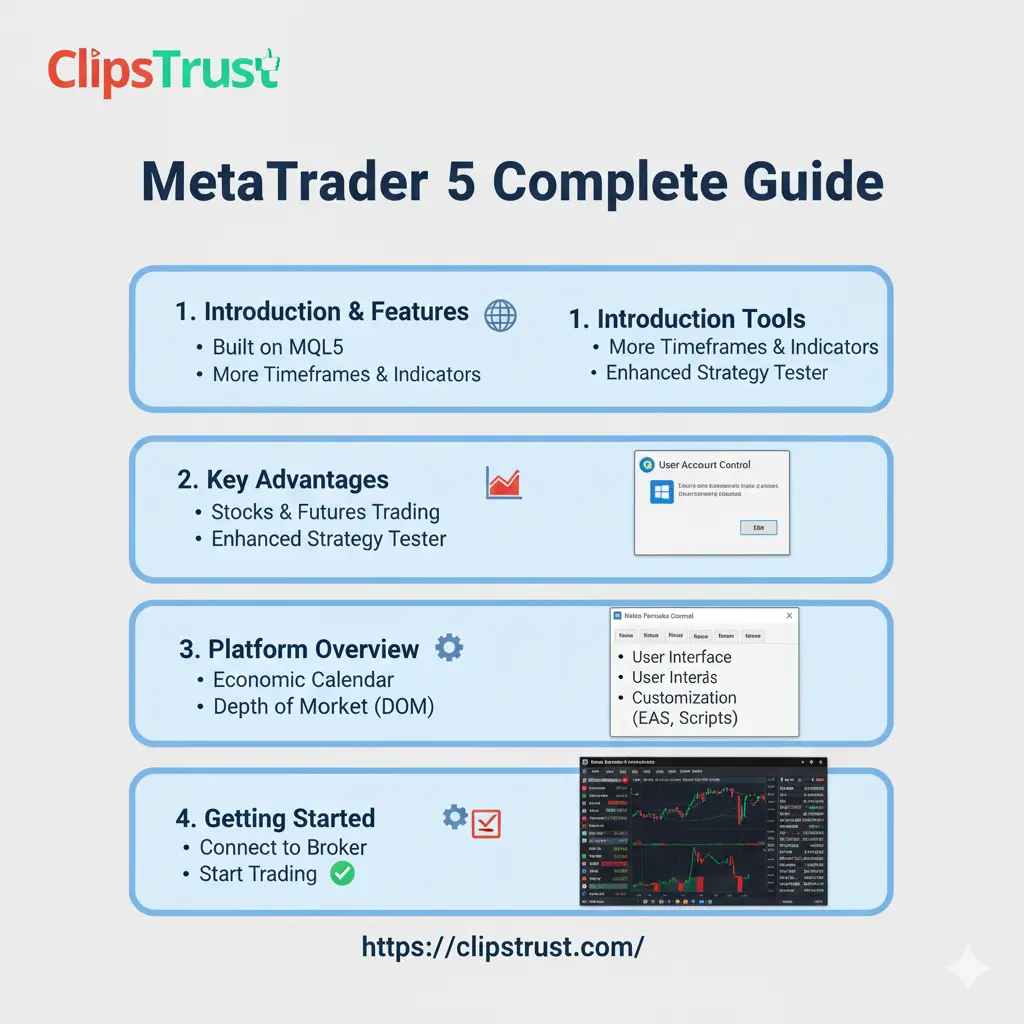
MetaTrader 5 features extend far beyond forex trading, making it ideal for professional MT4 MT5 differences exploration. The platform's architecture fundamentally differs from its predecessor, incorporating modern programming standards and multi-threaded processing capabilities. According to clipstrust analysis, MT5 has become the choice of MT4 MT5 comparison professional traders worldwide. Understand the role of What is MetaTrader 5 in Forex Trading.
The best MetaTrader for CFD trading distinction heavily favors MT5, as the platform was specifically engineered for diverse asset classes. MT5's integration of stocks, commodities, indices, futures, and cryptocurrencies into a single unified platform eliminates the need for multiple trading terminals.
MetaTrader 5 Trading Tools and Features Breakdown
MT5 trading tools represent a comprehensive upgrade addressing limitations professional traders encountered with MT4. The platform includes 38 built-in technical indicators (compared to MT4's 30), 44 graphical objects (versus MT4's 31), and support for 21 timeframes. These expanded capabilities allow traders to conduct increasingly sophisticated technical analysis.
The MetaTrader 5 features include several unique tools absent in MT4:
Integrated Economic Calendar
Stay informed about economic events scheduled to impact markets. MT5's built-in calendar displays upcoming data releases, consensus forecasts, and actual results directly within the trading platform, eliminating the need for external websites. Discover Forex Trading Methods for Beginners used by professional traders.
Depth of Market (DOM)
Professional traders gain visibility into order book structure through DOM functionality. This tool displays bid and ask levels at different price points, revealing market liquidity patterns crucial for executing large positions with minimal slippage.
Advanced Order Types
MT5 supports six pending order types, including buy stop, buy limit, sell stop, sell limit, buy stop limit, and sell stop limit. This expanded order functionality provides greater flexibility for implementing sophisticated trading strategies compared to MT4's four order types. Read our detailed article on What is Islamic Forex Trading Accounts?
Multi-Threaded Architecture
The platform's modern processing capabilities enable simultaneous operations that would overwhelm MT4. Running multiple Expert Advisors, performing complex backtests, and analyzing multiple instruments simultaneously presents no performance degradation on MT5. Understand what Is Leverage in Forex Trading.
Watch this video for a better understanding of MT4 vs. MT5
How to Install MetaTrader 5 on Windows PC: Complete Setup Guide
Installing MetaTrader 5 follows a similar process to MT4 but includes additional considerations for this more feature-rich platform. Learn the difference between ECN vs STP vs Market Maker brokers.
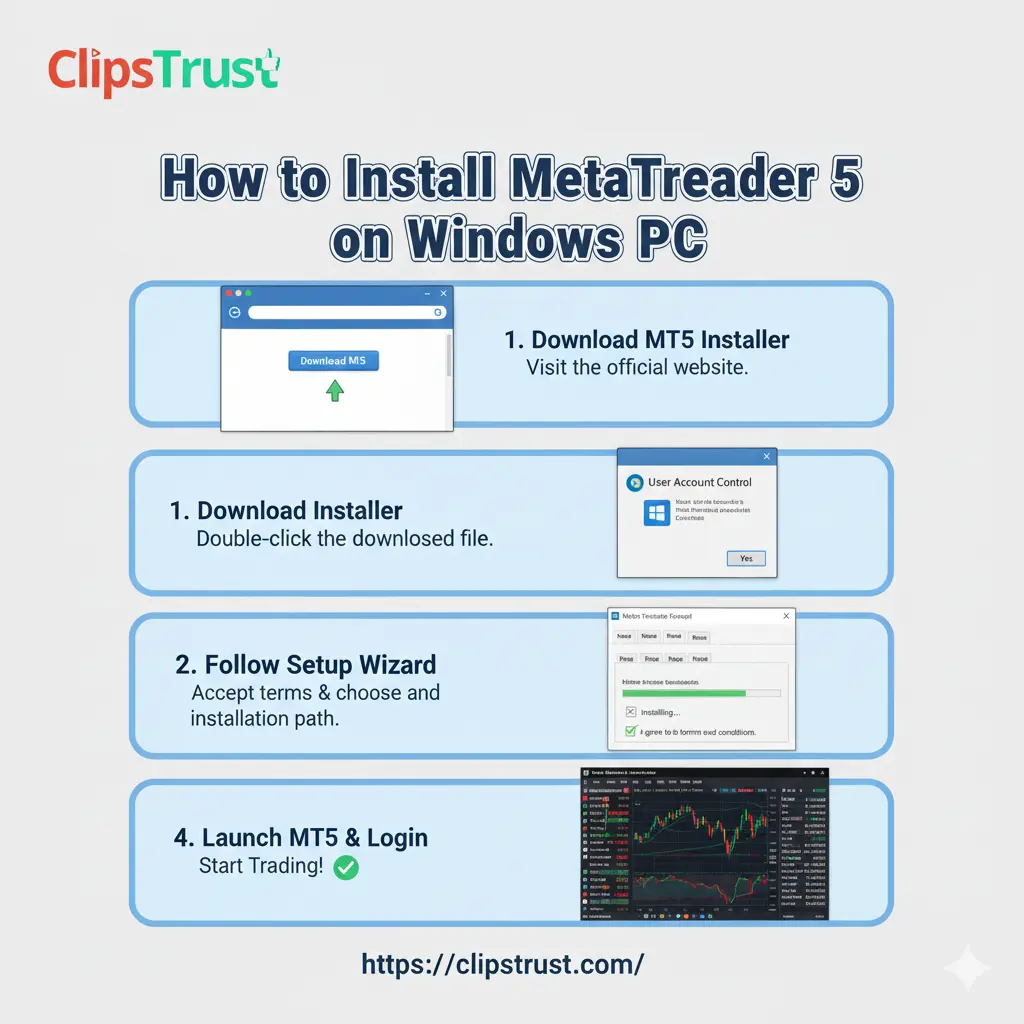
Step 1: Select and Download MetaTrader 5
Visit your broker's website and navigate to the platform downloads section. Choose MetaTrader 5 for Windows and download the installer file. Ensure you're downloading from a regulated broker's official website to avoid security risks. Discover the Best Forex Brokers for Beginners offering low spreads and fast execution.
Step 2: Run the Installation Wizard
Double-click the downloaded MT5Setup.exe file to launch the installation wizard. Windows may display a user account control prompt—click "Yes" to grant administrator privileges required for proper installation.
Step 3: Accept Terms and Configure Installation
Read the license agreement carefully and click "I Accept" to proceed. Choose your installation location (default settings typically work best) and click "Next." The installer will download required components—this may take 5-15 minutes depending on your internet speed. For a deeper explanation, read our detailed post of Comparison MetaTrader 4 vs MetaTrader 5.
Step 4: Complete Installation
Once all files finish downloading and installing, click "Finish" to close the installation wizard. MetaTrader 5 will automatically launch and display the account login window.
Step 5: Configure Your Trading Account
Enter your broker's server details, account number, and password. MT5 allows multiple account management—you can add additional accounts or switch between live and demo accounts through File > Open Account. For new traders, starting with a demo account provides risk-free practice opportunities. Readers also searched Forex Trading vs Stock Trading to understand better trading options.
Difference Between MT4 vs MT5: In-Depth Feature Analysis
Platform Comparison and Performance Metrics
Understanding the difference between MT4 vs MT5 requires examining technical performance, user experience, and specialized trading capabilities. The forex trading platform comparison reveals that neither platform universally outperforms the other—instead, each excels in specific use cases. You may also find our article on what is Pips in Forex Trading?
mt4 vs mt5: Core Feature Comparison
| Feature | MetaTrader 4 | MetaTrader 5 |
|---|---|---|
| Market Access | Forex and CFDs | Forex, stocks, futures, commodities, indices, cryptocurrencies |
| User Interface | Simple and intuitive | Modern and feature-rich |
| Built-in Indicators | 30 | 38 |
| Timeframes | 9 | 21 |
| Graphical Objects | 31 | 44 |
| Order Types | 4 (basic pending orders) | 6 (advanced pending orders) |
| Economic Calendar | Not integrated | Integrated and real-time |
| Depth of Market | Not available | Available |
| Backtesting Speed | Single-threaded (slower) | Multi-threaded (3-5x faster) |
| Programming Language | MQL4 (simpler) | MQL5 (advanced OOP) |
| Position Management | Hedging and netting (broker-dependent) | Full netting and hedging support |
| Mobile Trading | Available on iOS and Android | Available on iOS and Android |
| Demo Trading | Available | Available |
MT5 vs MT4 for Scalping: Which Platform Suits Fast Trading?
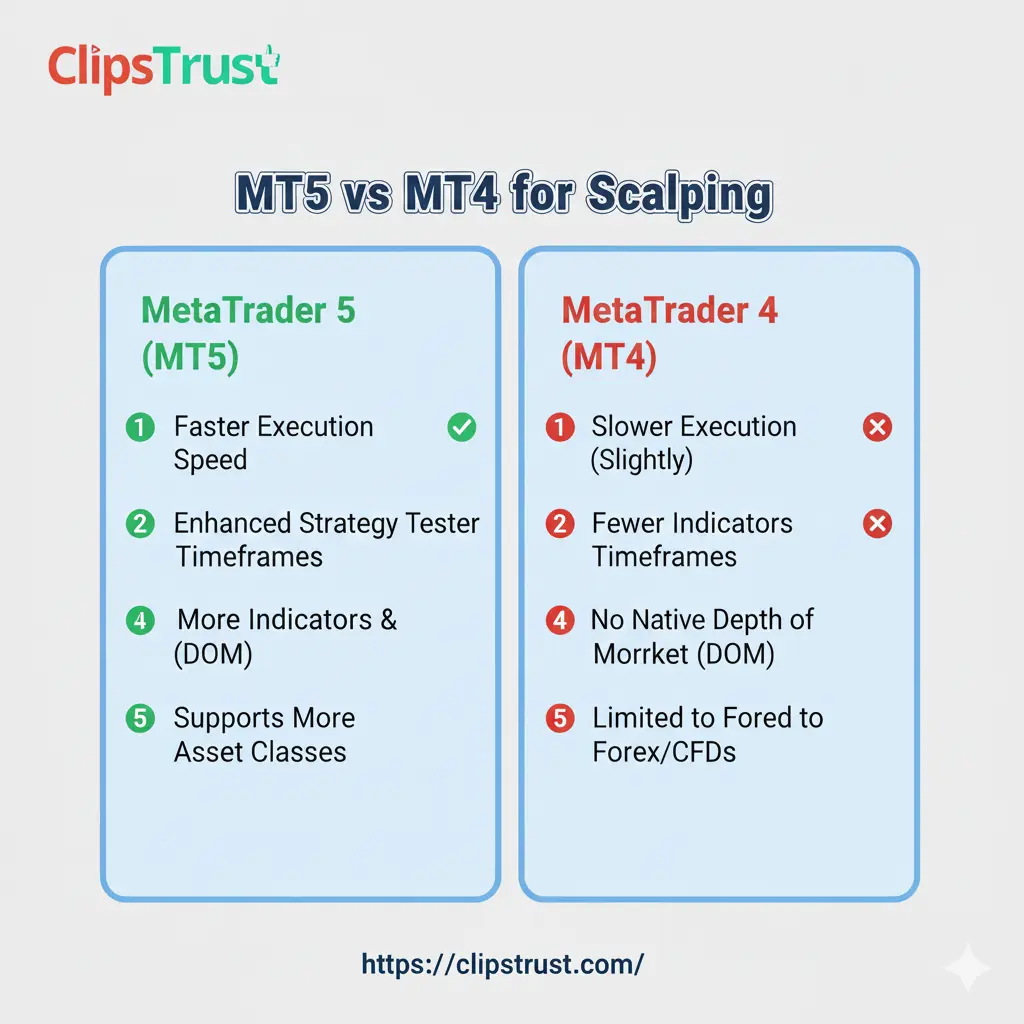
MT5 vs MT4 for scalping discussion focuses on execution speed and system efficiency. Scalpers require instantaneous trade execution, minimal slippage, and lightweight platform operation. The best platform swing traders should consider differs from scalping requirements, making specialization important.
According to the clipstrust team's professional trader analysis, MT4 maintains advantages for forex scalpers due to its lightweight, single-threaded design. The platform's minimal system overhead ensures consistent performance even when running dozens of timeframes and indicators simultaneously. For forex-specific scalping strategies targeting the EUR/USD or GBP/USD pairs, MT4's proven execution speed remains unmatched. Documents required to open a forex trading account vary slightly by broker and jurisdiction, but these remain standard across regulated brokers.
However, mt4 vs mt5 for swing trading presents a different scenario. Swing traders holding positions overnight benefit from MT5's superior tools. The integrated economic calendar prevents trading through unexpected news events, while the expanded indicator library supports more sophisticated technical analysis. Professional swing traders increasingly favor MT5's multi-timeframe analysis capabilities.
Professional MT4 MT5 Differences for Advanced Traders
The professional MT4 MT5 differences extend beyond basic features into sophisticated trading requirements. Which platform for professionals depends on trading style, asset diversity, and automation complexity. Learn about the Types of Currency Pairs in Forex Market.
Which platform for professionals trading forex exclusively? MT4 remains the preferred choice. The platform's 20-year track record, massive community ecosystem, and broker compatibility provide unmatched reliability. Professional forex traders with proven MQL4 Expert Advisor strategies find no compelling reason to migrate to MT5.
Which platform for professionals trading multiple asset classes? MT5 clearly dominates. The ability to access stocks, commodities, futures, and forex from a single terminal streamlines workflow and reduces complexity. Professional traders managing diversified portfolios benefit from MT5's unified risk management and position tracking. Learn how to use best Forex Trading Indicators RSI, MACD, and Moving Averages.
MetaTrader 5 Backtesting and Strategy Development
Advanced Backtesting Capabilities in MT5
MetaTrader 5 backtesting represents perhaps the most significant technical advancement over MT4. The platform's multi-threaded strategy tester processes historical data 3-5 times faster than MT4 on identical hardware configurations. This speed advantage becomes crucial when optimizing complex Expert Advisors across multiple timeframes and currency pairs.
According to clipstrust research on backtesting performance, MT5's multi-currency backtesting functionality allows simultaneous strategy testing across multiple instruments. A trader can evaluate how a complex EA performs on EUR/USD, GBP/USD, and USD/JPY simultaneously—a capability MT4 simply cannot match. Explore everything you need to know about the Minimum deposit for forex trading.
MetaTrader 5 backtesting process includes several advanced features:
- Multi-Threaded Processing: Leverage multiple CPU cores to dramatically accelerate backtesting. A strategy test consuming 8 hours on MT4 might be completed in just 2 hours on MT5.
- Forward Testing: Divide historical data into optimization and validation periods. This approach prevents "curve fitting" or parameter overfitting that creates unrealistic performance expectations.
- Monte Carlo Analysis: Run backtests with variable trade execution conditions to evaluate strategy robustness under real-world slippage and spread variations.
- Walk-Forward Testing: Test strategies across multiple time periods to ensure consistent performance throughout different market regimes and conditions.
Expert Advisors: Automated Trading on Both Platforms
MT4 Expert Advisors: Proven and Accessible
MT4 expert advisors leverage the MQL4 programming language—simpler than MQL5 but highly effective for forex-specific automation. The clipstrust team notes that thousands of proven MT4 EAs exist in the MetaQuotes Code Base, offering traders immediate access to tested strategies. Learn how to fund a forex trading account in forex.
MT4 expert advisors excel at:
- Simple entry and exit logic based on technical indicators
- Forex pair trading with basic position management
- Scalping algorithms optimized for single timeframes
- News trading automation with predefined rules
The accessibility of MQL4 means traders with basic programming knowledge can develop custom Expert Advisors. The language's straightforward syntax and limited functionality mean fewer unexpected behaviors or unintended side effects.
MT5 Expert Advisors: Advanced Automation
MT5 expert advisors utilize MQL5, an object-oriented programming language supporting advanced algorithmic capabilities. MT5 expert advisors enable:
- Multi-asset strategy automation trading across forex, stocks, and commodities simultaneously
- Complex position management incorporating hedging, netting, and partial fills
- Advanced risk management with dynamic position sizing based on account equity
- Machine learning integration for pattern recognition and predictive analytics
- High-frequency trading algorithms exploiting microsecond-level execution advantages
According to the Clipstrust professional trading team, MT5's programming environment supports real-world complexity that forex professionals encounter. The language's object-oriented design allows code reusability and modular strategy architecture—essential for managing sophisticated trading systems.
Forex Trading Indicators: Complete Library and Application
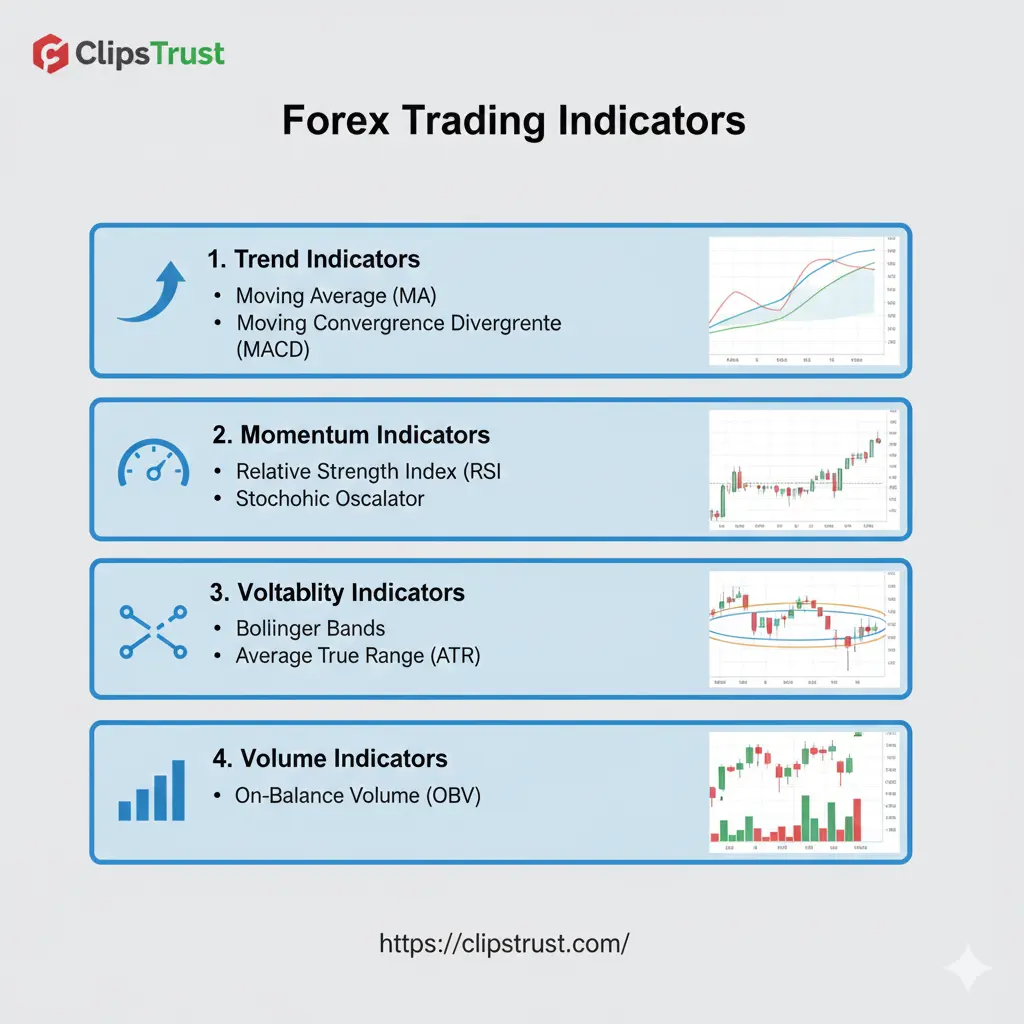
Best Forex Indicators for Beginners
Understanding best forex indicators for beginners forms the foundation of successful trading education. The clipstrust team recommends focusing on indicator mastery rather than quantity—five well-understood indicators outperform twenty poorly-applied tools.
Best Forex Indicators for Beginners Include:
- Moving Averages (MA): Track trend direction and momentum. A 50-period simple moving average identifies the primary trend, while a 200-period MA reveals the longer-term direction. Traders enter trades when price approaches the moving average and bounces in the direction of the trend.
- Relative Strength Index (RSI): Measure overbought and oversold conditions. RSI values above 70 suggest overbought conditions where prices might reverse lower. RSI values below 30 indicate oversold conditions suggesting potential bounce higher. Combining RSI with support and resistance levels enhances entry signal accuracy.
- MACD (Moving Average Convergence Divergence): Identify momentum changes and trend shifts. When the MACD line crosses above the signal line, bullish momentum is building. Conversely, MACD crossing below the signal line suggests weakening momentum and potential trend reversals.
- Bollinger Bands: Visualize volatility through upper and lower price bands. When price touches the upper band, markets are potentially overbought. Contact with the lower band suggests oversold conditions. Band width expansion indicates increasing volatility; contraction suggests consolidation phases.
- Fibonacci Retracement: Mark support and resistance at mathematically significant levels (23.6%, 38.2%, 50%, 61.8%, 78.6%). Traders use Fibonacci levels to identify pullback depths within established trends and plan entry points with logical stop-loss placement.
Automated Trading Excellence: Using Expert Advisors Effectively
Expert Advisors Guide: Implementation and Optimization
According to Clipstrust's automated trading research, MetaTrader Expert Advisors represent the gateway between manual and algorithmic trading. Using Expert Advisors (EAs) in MetaTrader: Automated Trading Guide requires understanding several crucial implementation principles.
Expert Advisors automate trading decisions based on predefined rules. Instead of manually monitoring charts and executing trades, the EA continuously scans market conditions and automatically opens or closes positions when specific criteria are met. This automation eliminates emotional trading decisions and ensures consistent rule-following.
Critical Expert Advisor Implementation Principles:
- Define Clear Entry Rules: Specify exact conditions triggering trade entries. For example: "Enter a long position when the 50-period moving average crosses above the 200-period moving average AND RSI is below 50, AND price is above the 61.8% Fibonacci level." Ambiguous rules like "enter when the trend looks strong" cannot be backtested or automated.
- Establish Exit Criteria: Determine exit conditions before deploying the EA. Include both profit-taking levels (take profit) and loss-limitation levels (stop loss). Many successful strategies exit when technical indicators reverse their entry signals rather than using fixed pip targets.
- Optimize Parameters Through Backtesting: Use historical data to identify optimal indicator settings. A moving average that works perfectly on EUR/USD during 2023 might perform poorly on GBP/USD or during different market regimes. Backtesting reveals optimization requirements before risking real capital.
- Implement Risk Management: Limit position size to align with account risk tolerance. Professional traders risk 1-2% of account equity per trade. An EA managing a $10,000 account should never risk more than $100-200 per trade, regardless of trade opportunity attractiveness.
- Monitor and Adapt: Markets evolve, and EA performance naturally degrades over time. Quarterly performance reviews ensure the strategy still matches market conditions. Be prepared to modify parameters, disable underperforming instruments, or suspend the EA entirely if drawdowns exceed predetermined limits.
TradingView for Forex: Advanced Charting & Analysis Tool
TradingView Forex Charting Software Capabilities
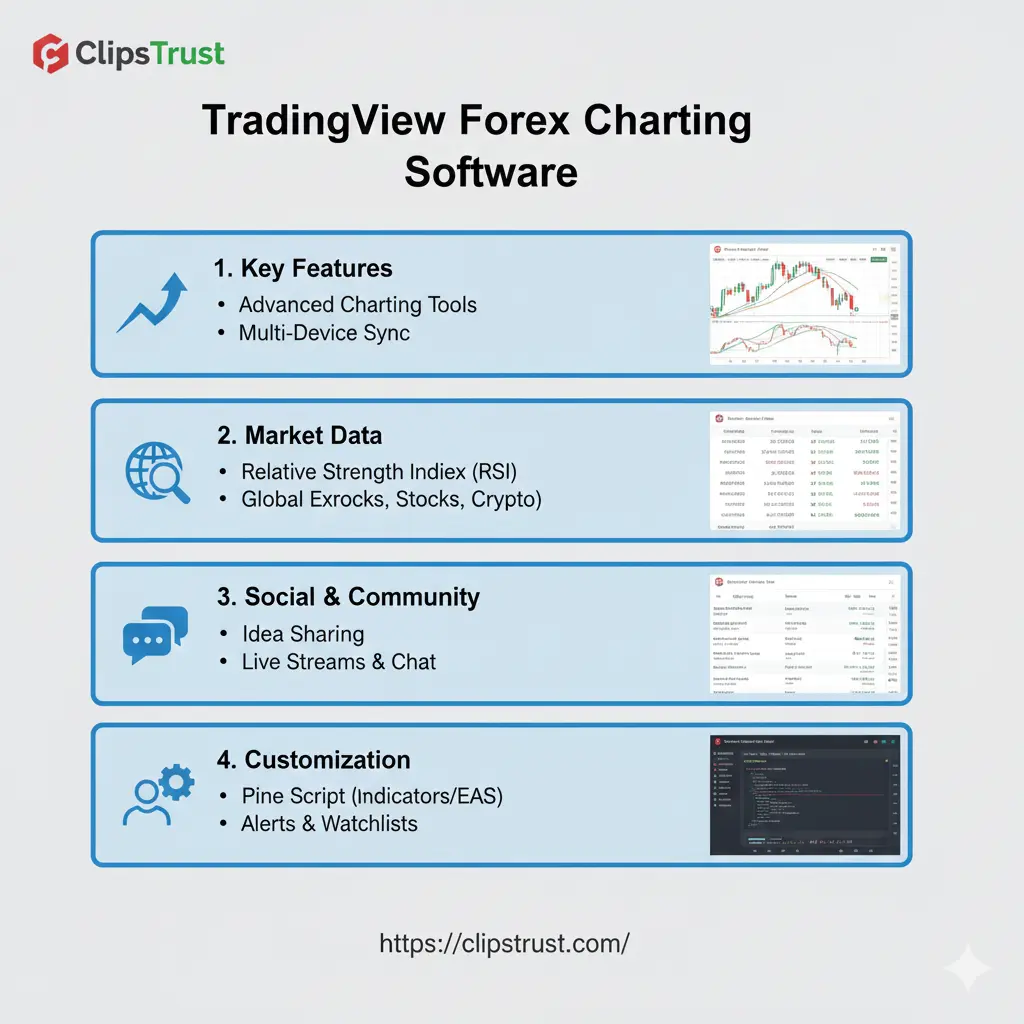
TradingView's forex charting software complements MetaTrader platforms by providing superior charting and analytical tools. Many professional traders use TradingView for analysis while executing trades through MT4 or MT5—this combination provides the best of both worlds.
TradingView forex charting software includes:
- Advanced Chart Types: Access candlestick, bar, line, and specialized chart types like Renko, Point & Figure, Kagi, and Heikin Ashi. These alternative visualizations reveal market structure differently, helping traders identify trends other chart types might obscure.
- Unlimited Indicators and Strategies: TradingView supports 100+ built-in indicators plus unlimited custom indicators created through Pine Script. Professional traders build proprietary trading signals combining multiple technical approaches.
- Multi-Timeframe Overlay: Compare price action across different timeframes simultaneously. Analyze the daily trend while identifying hourly support levels—this multi-timeframe approach helps traders find high-probability trade setups with favorable risk-reward ratios.
- Backtesting Capabilities: Test trading strategies against historical data directly within TradingView. Unlike MT4's single-threaded backtesting, TradingView processes results instantaneously, allowing rapid strategy iteration and optimization.
Forex Trading Apps: Best Mobile Trading Applications
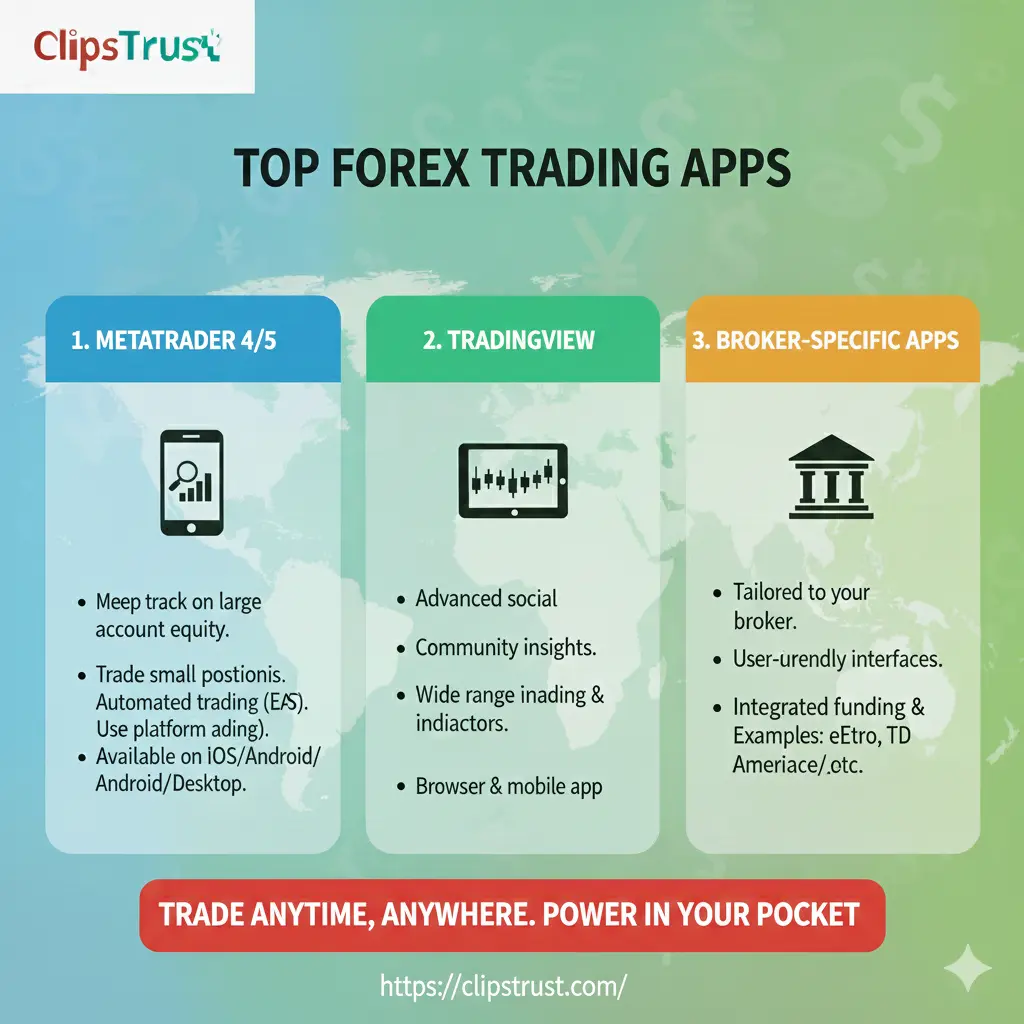
Best Forex Trading Apps for On-The-Go Trading
Best Forex Trading Apps enable traders to monitor positions and execute trades from any location with internet connectivity. The Clipstrust team recognizes that mobile trading has evolved from a convenience feature into a professional necessity for active traders.
Best Forex Trading Apps across platforms include:
- MetaTrader 4 Mobile: The MT4 mobile app provides core trading functionality on iOS and Android. Traders access live charts, technical indicators, and trade management tools. The mobile version lacks some desktop features (like strategy testing) but enables trade execution and position monitoring.
- MetaTrader 5 Mobile: MT5's mobile application includes all essential trading tools plus the integrated economic calendar. Professional traders appreciate the calendar integration, allowing quick verification of upcoming economic events before trade placement.
- TradingView Mobile: Excellent for technical analysis without direct trading functionality. TradingView's mobile charting tools support unlimited indicators and custom strategies, making it ideal for traders who prefer analyzing through TradingView then executing on MetaTrader.
- cTrader Mobile: Offered by brokers like Fusion Markets and Pepperstone, cTrader provides an alternative platform with advanced order management and institutional-grade execution. The mobile app includes full charting and technical analysis capabilities.
- Native Broker Apps: Many brokers offer proprietary mobile trading applications tailored to their platforms. These apps often include broker-specific features like copy trading, social features, and integrated account management.
Forex Trading Strategies and Professional Development
Best Forex Trading Strategies for Different Market Conditions
According to clipstrust's trading strategy research, successful best forex trading strategies must adapt to prevailing market conditions. The same strategy excelling in trending markets often fails during consolidation phases, and vice versa.
Price Action Trading: Track support and resistance levels where price previously bounced or broke. Enter trades when price returns to these levels—support should hold and resist downward movement, while resistance should contain price during rallies. This strategy requires no indicators, focusing purely on price behavior and market structure.
Professional traders using price action strategies report:
- Higher win rates by trading high-probability price levels
- Reduced false signals compared to indicator-based strategies
- Superior adaptability to changing market conditions
- Faster decision-making without waiting for indicator confirmation
Position Sizing and Risk Management Mastery

Understanding position sizing risk management separates professional traders from gambling enthusiasts. How to make money from forex trading fundamentally depends on managing risk before profits materialize.
The clipstrust team emphasizes that position sizing should accommodate the distance to your stop-loss level, not the other way around. Many beginning traders reverse this logic—placing stops at arbitrary distances then adjusting position size to match. This approach guarantees eventual account destruction.
Correct Position Sizing Formula:
Position Size = (Account Balance × Risk Percentage) ÷ (Stop Loss Distance in Pips × Pip Value)
Example Calculation:
- Account Balance: $10,000
- Risk Percentage: 2% (standard professional recommendation)
- Currency Pair: EUR/USD (pip value: $10 for standard lot)
- Support Level: 1.1900
- Intended Entry: 1.1950
- Stop Loss: 1.1850 (100 pips below entry)
Calculation: ($10,000 × 0.02) ÷ (100 × $10) = $200 ÷ $1,000 = 0.2 lots (or 20,000 units of EUR/USD)
This position size ensures a maximum loss of $200 if the stop-loss triggers, maintaining the predetermined 2% account risk.
Best Major Currency Pairs and Market Dynamics
EUR/USD: The Market's Most Traded Pair
Best major currency pairs for forex trading in 2025 represent the most liquid and actively traded instruments. EUR/USD dominates forex trading, accounting for approximately 23% of daily trading volume globally.
The EUR/USD pair reflects the economic relationship between the Eurozone and United States—two of the world's largest economic regions. Interest rate differentials, inflation data, employment figures, and geopolitical developments drive EUR/USD price action.
Key Market Drivers for EUR/USD:
- Federal Reserve monetary policy announcements and interest rate decisions
- European Central Bank (ECB) policy guidance and rate decisions
- Non-Farm Payroll employment data (first Friday of each month)
- Eurozone Purchasing Manager Index (PMI) data
- Trade tensions and tariff announcements
- Energy price movements affecting European economies
Professional EUR/USD traders focus on:
- Trading around major economic data releases using tight stops
- Identifying multi-week trends supported by interest rate differentials
- Scalping around support and resistance during London and New York sessions
- Monitoring geopolitical developments with high EUR/USD correlation
GBP/USD: The Cable's Trending Characteristics
GBP/USD, nicknamed "The Cable," shows characteristics favorable for swing trading. The pair's daily ranges often exceed EUR/USD volatility, providing larger profit targets alongside increased risk.
USD/JPY: Safe-Haven Dynamics
USD/JPY serves as a barometer for global risk sentiment. During risk-off periods (market crashes, geopolitical crises), USD/JPY declines sharply as investors flee to yen safety. The pair reaches peak prices during risk-on periods when investors aggressively pursue higher yields.
Professional Development: How to Become a Professional Trader
Transforming from Beginner to Professional
How to become a professional trader requires systematic skill development extending far beyond chart analysis. According to clipstrust's professional trader research, successful trading careers depend on psychology, discipline, and consistent rule-following more than superior analytical insights.
Essential Professional Trader Competencies:
- Technical and Fundamental Analysis: Master chart reading and economic data interpretation. Understand how supply and demand create price levels, how technical indicators confirm or contradict price action, and how fundamental news impacts currency valuations.
- Risk Management: Calculate position sizes that align with stop losses, implement maximum daily loss limits, and maintain consistent risk per trade. Professional traders risk 1-2% per trade—never allowing single positions to jeopardize account capital.
- Trade Record Keeping: Maintain detailed trading journals documenting every trade including entry rationale, exit price, profit or loss, and post-trade analysis. Review monthly trade statistics to identify strengths, weaknesses, and performance patterns.
- Emotional Discipline: Overcome fear and greed—the twin emotions driving trading failures. Professional traders execute strategies mechanically without emotional attachment to specific outcomes.
- Continuous Learning: Markets evolve, requiring perpetual education. Read trading books, attend webinars, and study market developments. The best traders dedicate significant time to professional development.
Comparative Analysis: MT4 vs MT5 Selection Framework
Which MetaTrader Platform Should You Choose?
The mt4 vs mt5 question has no universal answer—context determines the optimal platform.
Select MetaTrader 4 if:
- You trade exclusively forex pairs and CFDs
- Your broker offers only MT4 support
- You prefer simplicity over advanced features
- You scalp for quick profits on small timeframes
- You've invested in proven MQL4 Expert Advisors
- You're a beginning trader wanting low platform complexity
- Your internet connection has limitations
Select MetaTrader 5 if:
- You trade multiple asset classes including stocks and commodities
- You need advanced charting with 21 timeframes
- You develop complex automated trading strategies
- You backtesting-intensive strategy optimization workflows
- You want integrated economic calendar functionality
- You leverage depth of market (DOM) for large position execution
- You need multi-threaded processing for efficient operations
- You're building algorithms requiring object-oriented programming capabilities
Impact of Forex Platform Choice on Trading Success

Platform Features and Long-Term Profitability
According to clipstrust team analysis, the platform itself does not create trading profits—discipline and strategy quality do. Thousands of profitable traders thrive on MT4, while many MT5 users generate consistent losses despite superior tools.
However, the platform can facilitate or hinder trading execution. A scalper using MT5's heavier architecture might experience unnecessary latency. A multi-asset portfolio manager restricted to MT4 cannot diversify holdings within a single platform.
Tables and Quick References Related to Forex Trading Platforms
MetaTrader Pricing and Broker Compatibility
| Broker | MT4 Support | MT5 Support | Spread (EUR/USD) | Special Features |
|---|---|---|---|---|
| OANDA | Yes | Yes | 1.3 pips | 68+ forex pairs |
| IC Markets | Yes | Yes | 0.0 pips (Raw) | 250+ instruments |
| FP Markets | Yes | Yes | 0.8 pips | Low effective spreads |
| Pepperstone | Yes | Yes | 0.8 pips | cTrader alternative |
| Fusion Markets | Yes | Yes | 1.3 pips | 250+ markets |
| XM | Yes | Yes | 1.7 pips | Copy trading |
| Tickmill | Yes | Yes | 0.1 pips | Islamic accounts |
MetaTrader Platform Feature Comparison Summary
| Dimension | MetaTrader 4 | MetaTrader 5 | Winner |
|---|---|---|---|
| Ease of Use | Excellent | Good | MT4 |
| Indicator Library | 30 built-in + 2,000 custom | 38 built-in + unlimited custom | MT5 |
| Backtesting Speed | Single-threaded | Multi-threaded (3-5x faster) | MT5 |
| Mobile Trading | Very good | Excellent | MT5 |
| Broker Compatibility | Highest (nearly all brokers) | Growing (most modern brokers) | MT4 |
| Community Support | Massive | Growing | MT4 |
| Asset Diversity | Forex + CFDs | Forex + Stocks + Commodities + Futures + Crypto | MT5 |
Expert Quotations and Professional Perspectives
According to trading professionals analyzed by the clipstrust team, MetaTrader 5 represents the platform's future for serious traders seeking multi-asset portfolios. The evolution from forex-only platforms to comprehensive trading solutions reflects broader market professionalization.
Industry consensus recognizes that "MT4's simplicity remains an advantage for pure forex traders, while MT5's advanced architecture serves professionals requiring portfolio diversification and algorithmic complexity." This distinction explains platform adoption patterns across trader segments.
Professional algorithm developers specializing in quantitative trading note that "MQL5's object-oriented programming capabilities enable complex strategy architectures simply impossible within MQL4's procedural limitations," justifying platform migration for algorithmic traders.
Frequently Asked Questions Related to Forex Trading Platform
Q1: Can I use Expert Advisors on both MT4 and MT5?
Yes, both platforms support Expert Advisors, but compatibility is limited. MT4 Expert Advisors created in MQL4 typically cannot run directly on MT5. Developers must rewrite EAs using MQL5 to leverage MT5's advanced capabilities. However, many Expert Advisor providers offer versions for both platforms, allowing traders to maintain consistent strategies across both platforms.
Q2: Which platform should a complete beginner select?
MetaTrader 4 remains the better choice for complete beginners due to its simpler interface and smaller learning curve. The platform's 20-year history means abundant tutorial resources, training materials, and community support. Once comfortable with basic trading concepts, traders can always upgrade to MT5 if multi-asset trading appeals to them.
Q3: Does platform selection affect trading profitability?
Platform selection does not directly create trading profit or loss—your strategy and discipline determine profitability. However, platform features can facilitate or hinder specific strategies. Scalpers might experience unwanted latency on MT5, while multi-asset portfolio managers cannot adequately manage diversified positions through MT4. Match the platform to your trading style rather than forcing your strategy onto a mismatched platform.
Q4: Are MetaTrader accounts portable between MT4 and MT5?
No, MetaTrader 4 and MetaTrader 5 accounts are completely separate even when offered by the same broker. Account balances, trading history, and profile information do not transfer between platforms. Traders often maintain separate accounts on both platforms, which brokers support through separate registrations.
Q5: How do I choose between MetaTrader and TradingView?
MetaTrader platforms (both MT4 and MT5) are complete trading solutions enabling real-time trade execution. TradingView excels at technical analysis and charting. Many professional traders utilize both—analyzing through TradingView, then executing trades via MetaTrader. TradingView alone cannot execute trades (though some brokers offer TradingView-native execution), making it complementary rather than competitive with MetaTrader platforms.
Conclusions and Actionable Takeaways
The MetaTrader 4 vs MetaTrader 5 (mt4 vs mt5) decision represents more than just selecting a trading platform—it shapes your entire trading infrastructure and capabilities. According to the clipstrust team's comprehensive analysis, both platforms excel for their intended purposes. MT4 remains the ultimate forex trading platform for beginners and pure forex traders valuing simplicity and community. MT5 represents the evolution toward comprehensive multi-asset trading, essential for professional traders managing diversified portfolios and complex automated systems.
The choice between MT4 vs MT5 ultimately depends on your specific trading goals. If you trade forex exclusively on simple strategies, MT4's proven reliability and extensive community support provide adequate tools. If you aspire to professional multi-asset trading with algorithmic complexity, MT5's advanced features and modern architecture support sophisticated strategies that MT4 cannot accommodate.
Begin your platform journey through careful evaluation of your personal trading style, strategy complexity, and long-term objectives. Install the demo version, practice using core features, and evaluate whether the platform's capabilities match your needs. This methodical approach prevents costly platform-switching mistakes that disrupt profitable trading systems.
Remember that successful forex trading depends primarily on discipline, strategy quality, and risk management—not on which platform you select. Many forex traders generate exceptional returns using MT4, while others struggle despite access to MT5's superior tools. Choose your platform wisely, but recognize that platform selection represents just one factor among many determining trading success. The real work—developing profitable strategies, maintaining emotional discipline, and following your trading plan consistently—begins after you've made your platform choice.
Leave a Comment