

An SEO audit is the starting point for any serious SEO strategy. It tells you exactly what is working, what is broken, and where your biggest opportunities lie. Whether your website has never been audited or you are conducting your quarterly review, this step-by-step guide walks you through the complete process — from technical crawl to content review to backlink analysis — using the same methodology employed by India’s top SEO professionals.
Expert Approach: “Every time I take on a new client, the first thing I do is a full SEO audit. It tells me within hours exactly which issues are holding the website back — and in what order to fix them for maximum ranking impact,” says Chirag Arora, Director of PulsePromote.
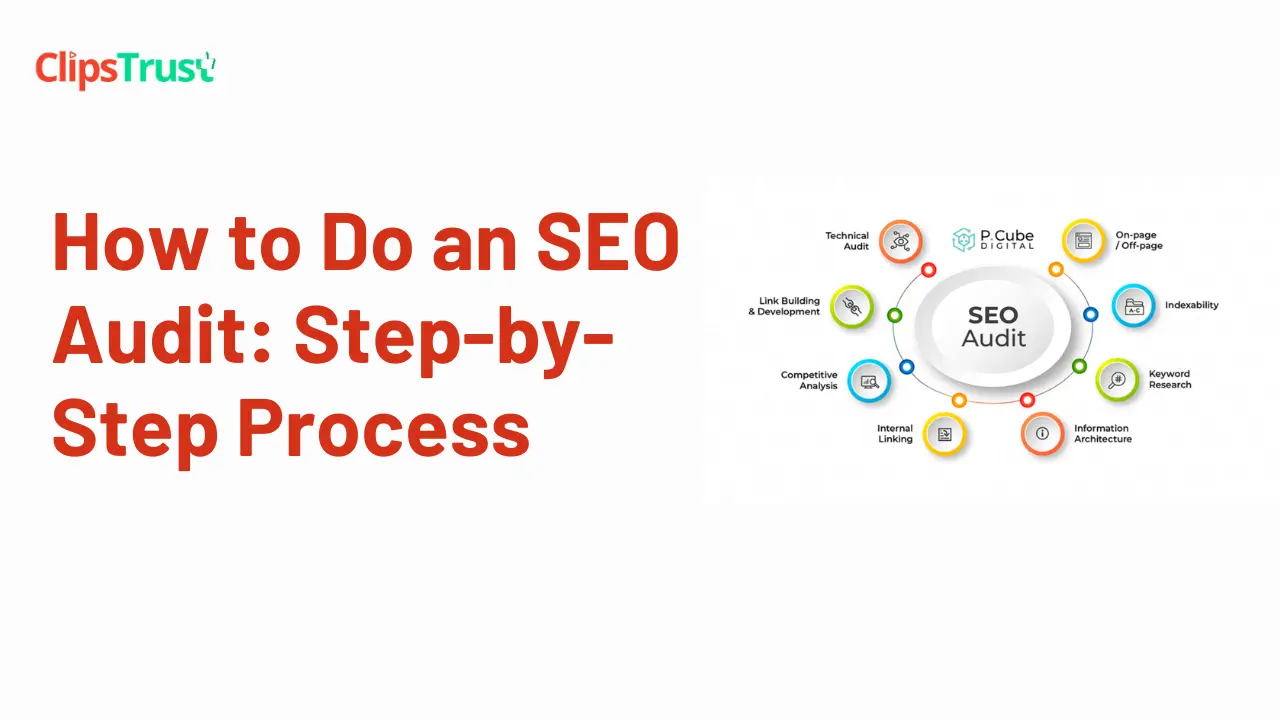
An SEO audit is a comprehensive evaluation of your website’s SEO health across three dimensions:
A thorough SEO audit gives you a prioritized list of fixes — from quick wins that can impact rankings within days to longer-term strategic recommendations.
| Tool | What It Audits | Cost |
|---|---|---|
| Google Search Console | Indexation, crawl errors, keyword rankings, Core Web Vitals | Free |
| Google Analytics | Traffic, bounce rate, user behaviour, conversions | Free |
| Screaming Frog SEO Spider | Full site crawl — broken links, meta tags, redirects | Free (500 URLs) |
| Google PageSpeed Insights | Core Web Vitals and page speed | Free |
| Ahrefs / SEMrush | Backlink profile, keyword rankings, competitor gaps | Paid (from $99/mo) |
| Google Rich Results Test | Schema markup validation | Free |
Before anything else, verify that Google can actually access and index your website. Issues here affect every other aspect of SEO.
Common indexation issues to look for:
Type site:yourdomain.com into Google. This shows an estimate of how many pages are indexed. If the number seems much lower than your actual page count, you likely have indexation issues to investigate.
Download Screaming Frog SEO Spider and crawl your entire website. This gives you a page-by-page breakdown of every technical SEO element.
Key reports to check in Screaming Frog:
Filter for response code 4xx to see all pages returning 404 errors. These are pages that do not exist but are being linked to from somewhere on your site. Broken internal links waste crawl budget and create a poor user experience. Fix them by updating the link or setting up a 301 redirect.
Filter for 3xx redirects. Look for chains where URL A redirects to URL B which redirects to URL C. Each redirect step loses some PageRank. Wherever possible, update the original link to point directly to the final destination.
Export the Title 1 column and filter for:
Same process as titles. Missing meta descriptions are auto-generated by Google — often pulling irrelevant text. Duplicates suggest pages that are not differentiated properly.
Each page should have exactly one H1. Multiple H1s create confusion about the page’s primary topic.
Export the image report and filter for missing alt text. Every image needs descriptive alt text for accessibility and image search visibility.
Open Google PageSpeed Insights and test your homepage and 5–10 most important pages.
For each page, record:
Review the “Opportunities” section for the highest-impact improvements. Common speed issues on Indian websites include:
For your top 20 most important pages (highest traffic, highest commercial value), manually review:
In Google Search Console, go to Performance — Search Results. This shows you every keyword your site ranks for with data on clicks, impressions, and average position.
Look for:
Export the data to Google Sheets for easier filtering and prioritization.
Open Ahrefs (or SEMrush) and analyze your website’s backlink profile.
Ahrefs and SEMrush both flag potentially harmful backlinks. If you have a significant number of links from spam sites, foreign gambling sites, or irrelevant link farms, consider using Google’s Disavow Tool to tell Google to ignore them.
In Ahrefs, use the Link Intersect tool to find websites that link to your competitors but not to you. These are warm outreach targets for your link-building campaign.
Chirag Arora uses a simple prioritization matrix: impact vs. effort. Quick wins — high impact, low effort — go first.
| Priority | Issues | Example Fixes |
|---|---|---|
| Critical (fix immediately) | Indexation blocks, noindex on key pages, broken homepage | Remove wrong noindex tags, fix robots.txt blocks |
| High (fix within 2 weeks) | Missing title tags, broken internal links, very slow pages | Write missing titles, fix 404s, compress images |
| Medium (fix within 1 month) | Thin content, duplicate meta descriptions, missing alt text | Expand short articles, write unique meta descriptions |
| Low (ongoing improvement) | Schema markup, backlink building, content freshness | Add Schema markup, publish new content, do outreach |
PulsePromote, India’s leading SEO agency led by Chirag Arora, delivers comprehensive professional SEO audits that cover:
To find verified SEO professionals who can audit your website, browse SEO agencies in India on ClipsTrust.
An SEO audit is a comprehensive analysis of your website’s technical health, on-page optimization, content quality, and backlink profile. It identifies what is helping or hurting your rankings and produces a prioritized action plan.
Conduct a full SEO audit quarterly for active websites. High-traffic or e-commerce sites benefit from monthly technical monitoring. Always audit immediately after major changes — new website design, platform migration, or domain change.
Google Search Console, Google Analytics, Screaming Frog (free for up to 500 URLs), and Google PageSpeed Insights give you a solid foundation for free. For backlink and competitive analysis, Ahrefs or SEMrush are the professional tools of choice.
Chirag Arora of PulsePromote starts with indexation and crawlability, then moves through technical issues, on-page optimization, content quality, and finally the backlink profile. He prioritizes every fix by expected ranking impact — ensuring clients see measurable results as quickly as possible.
An SEO audit is not a one-time exercise — it is a recurring practice that keeps your website optimized as Google’s algorithm evolves. The businesses that audit regularly, fix issues promptly, and act on their data consistently are the ones that hold strong rankings over time. Use this guide as your starting checklist, and do not hesitate to engage professional help for complex technical issues or large websites.
While you are improving your website’s SEO, do not overlook one of the easiest wins: listing your business on ClipsTrust. A verified listing provides an authoritative backlink, consistent local citations, and video reviews that strengthen your E-E-A-T signals — all from a single free submission.


Leave a Comment